Register a repository via the REST API
Requirements
- An iGrafx Platform with the active license module
API - A user with Server Role permissions to Access the REST API and Repository role permissions to Create and Manage Repositories (see )
Step by Step Instructions
- Open the REST API documentation in your Platform
- Navigate to Administration -> Repository Management -> Register Repository
- Use the REST API endpoint:
/api/repositories/register - Enter the users credentials for authentication
- Enter the repository name, shortname, and description in the respective fields.
- Adjust the respective fields (see below if you are not sure) and send the following request body:
{ "databaseName": "YOUR_REPOSITORY_DATABASE", "databasePassword": "YOUR_DB_PASSWORD", "databaseUsername": "YOUR_DB_USER", "hostname": "YOUR_DB_HOSTNAME", "port": 1433, "databaseType": "MSSQL", "tablePrefix": "" }
info
If you plan to register a repository that is currently registered elsewhere, you can find the required database information in your platform under Administration → Repositories , then click your repository's name and open the Database tab:
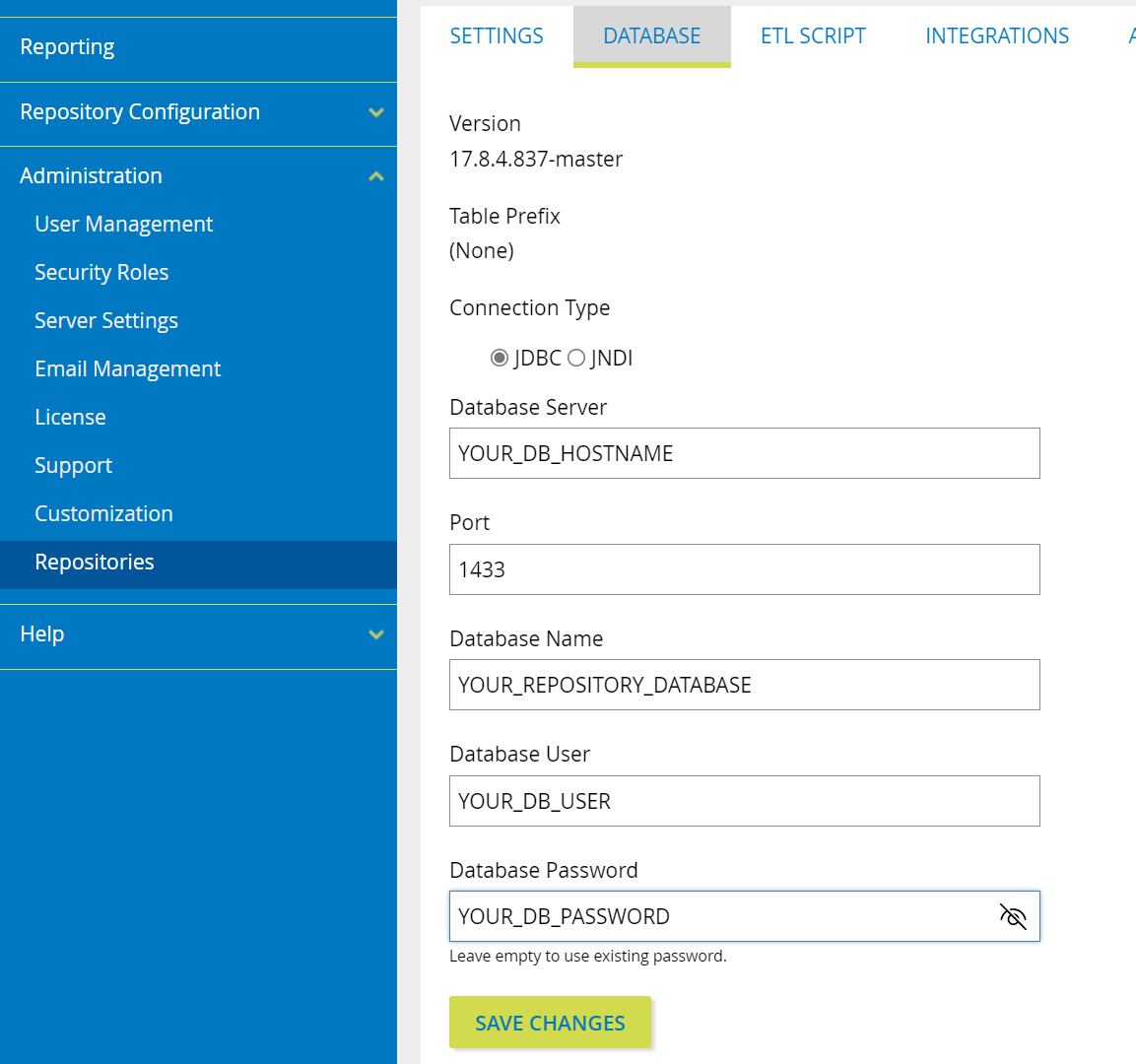
Alternatively, if you do not have the connection information, your IT team can provide you with the necessary data.