SAML Setup Guide for the iGrafx Identity Solution
What is SAML2?
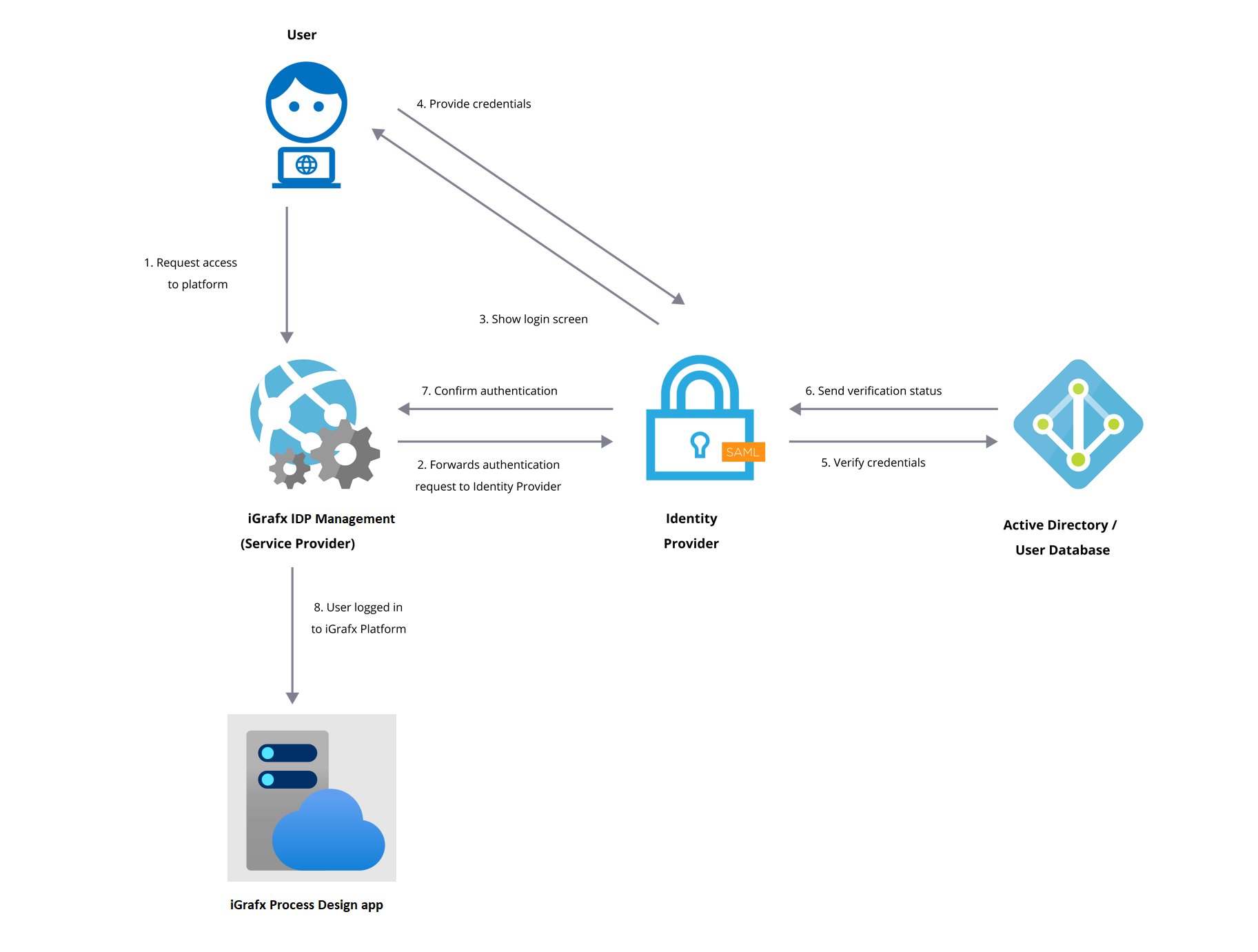
SAML stands for Security Assertion Markup Language and is used to provide Single-Sign-On (SSO) services to end users. It is used as a data exchange format between Service Providers (web applications that require their users to be authenticated) and Identity Providers (web applications that provide the required authentication). The iGrafx Identify solution acts as a Service Provider (SP) in this scenario, while your Azure AD, ADFS server or Okta instance acts as an Identity Provider (IDP).
SAML Flow with the iGrafx Identity Solution
Requirements
-
SAML 2.0 compatible Identity Provider
-
NameID format is email address
Identity Provider Guides
General Basic SAML configuration
You will receive the Tenant ID from your iGrafx Support team.
Identity Provider Guides
You cannot use Single Sign on with your iGrafx Desktop client (Flowcharter Product).
To connect with your Process Design app, use the API authentication method.