Enterprise Icons are broken / missing
Problem
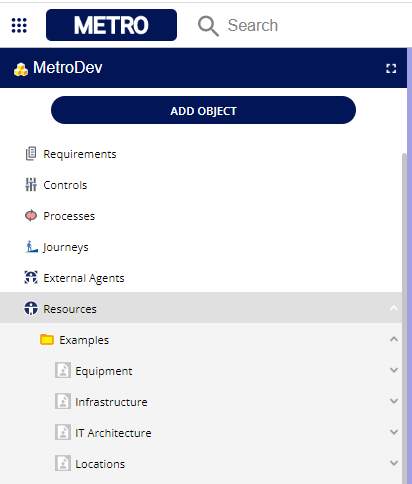
Object icons, especially for resources, are showing a placeholder icon instead of the correct icon (see picture).
Solution
The user has to clear their browser cache.
How to perform a hard refresh in some of the most common browsers:
Google Chrome: Press
Ctrl+Shift+RMicrosoft Edge: Press
Ctrl+F5Mozilla Firefox: Press
Ctrl+Shift+RPlease note that the key combinations may vary depending on your operating system. If you're using a mobile device, the process for hard refreshing might be different.
Details
| Related issues |
|---|