How to Mass Create Resources from Users
You want to create repository resources (person) from the login users you imported from your Active Directory?
Step-by-step guide
-
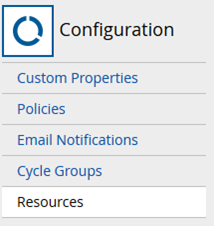
Go to the Configuration area, and click Resources:
-
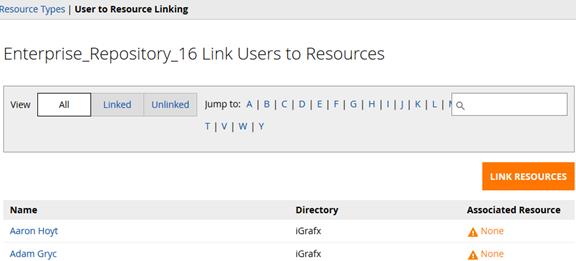
Click the ‘User to Resource Linking’ page:
-
Click the ‘Unlinked’ button

-
Click the ‘Link Resources’ button:

-
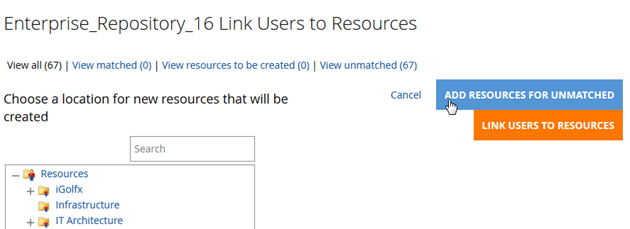
Click ‘Add Resources for Unmatched’ button:
-
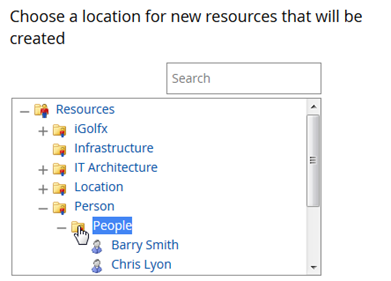
Choose the location for the new resources to be created:
-
Click the ‘Link Users to Resources’ button.

-
Your newly linked resources are listed:

info
You may delete any Resources that you didn’t intend to link together w/a user in the Model area.
Details
| Related issues |
|---|