Repository DB Logfile grows too big - shrink does not work
When viewing the filesizes of the Databases on a Microsoft SQL Server Installation, there are two files for a DB: A .mdf and a .ldf file. The ldf file contains Logging information and it might grow bigger than the actual Datafile (.mdf) and block valuable space on the harddisk.
Here is a way to first shrink the file and then prevent, that it grows so big again.
Always make sure, you have a current backup of your DB, before taking any of the actions below! Follow these steps at your own risk!
Step-by-step guide
Use the Microsoft SQL Management Studio to connect to the SQL Server with the DBs you want to control
-
Open the properties of the DB you want to shrink
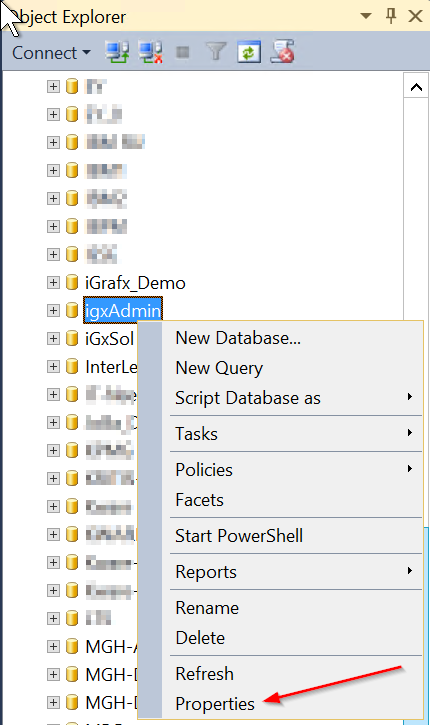
-
In the Options page switch the Recovery model to Simple
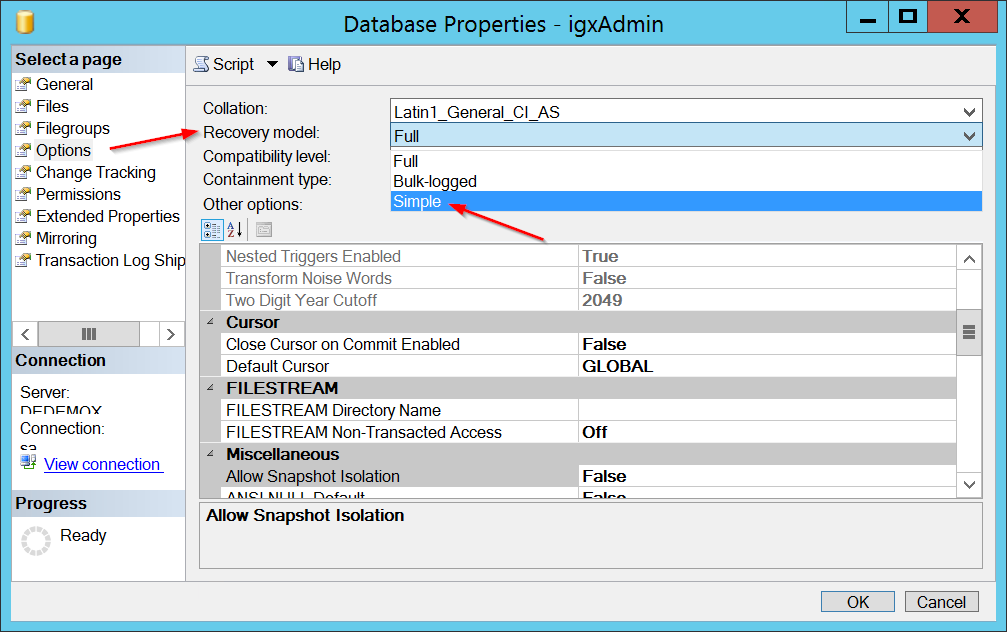 Then click "Ok" to save the setting
 -
Right-mouse-click on the DB again and use Tasks → Shrink → Files
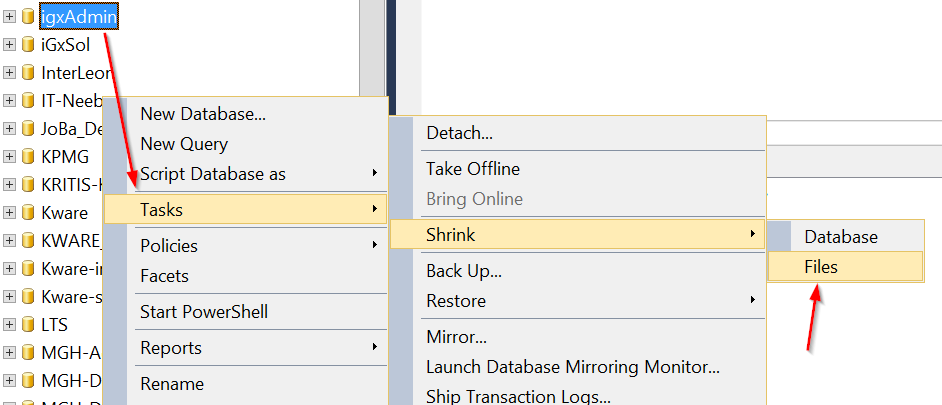
-
Switch File type from Data to Log.
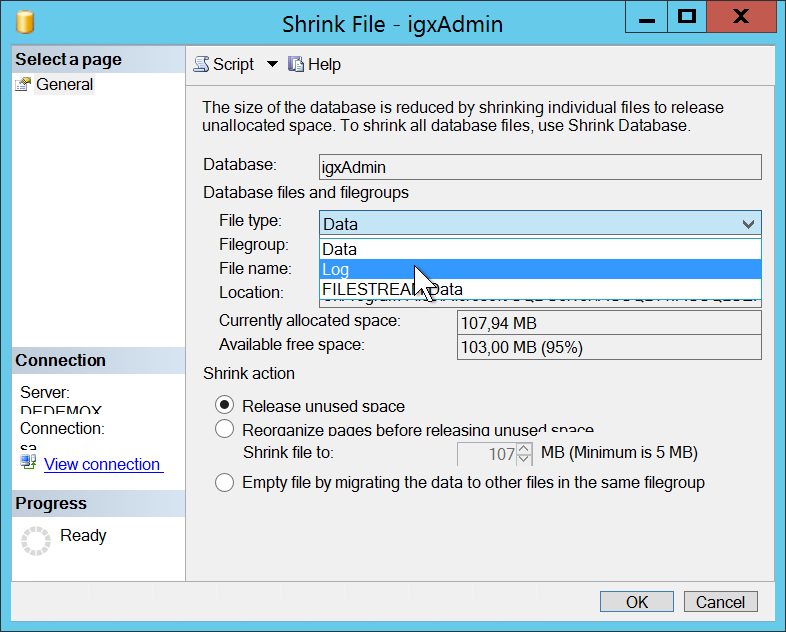
-
On the Section Shrink action set the size you want to have the logfile set to

-
Reset the Recovery model from Simple to full. (see step 2)
As an additional step, to prevent the DB log to ever grow that big again, you might want to set a maximum filesize. You will find that option in the DB properties, on the files page
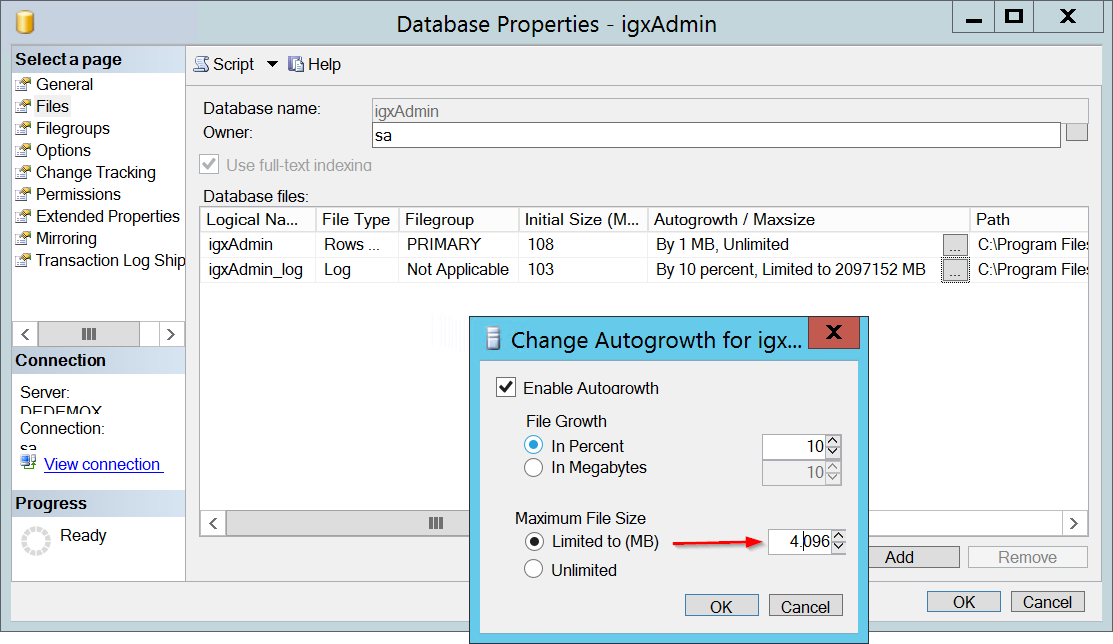
Details
| Related issues |
|---|