19.19.0 Cloud Release Highlights
Security relevant audit events
We have added new events to our enhanced audit capabilities, for example, security role changes, server settings or group management.
For a full list, visit Enhanced Auditing Capabilities available via REST API.
Early Access
⚠️ Early Access features require your system administrator to enable them for your entire organization. How to enable Early Access features
New: Pia Diagram Insights
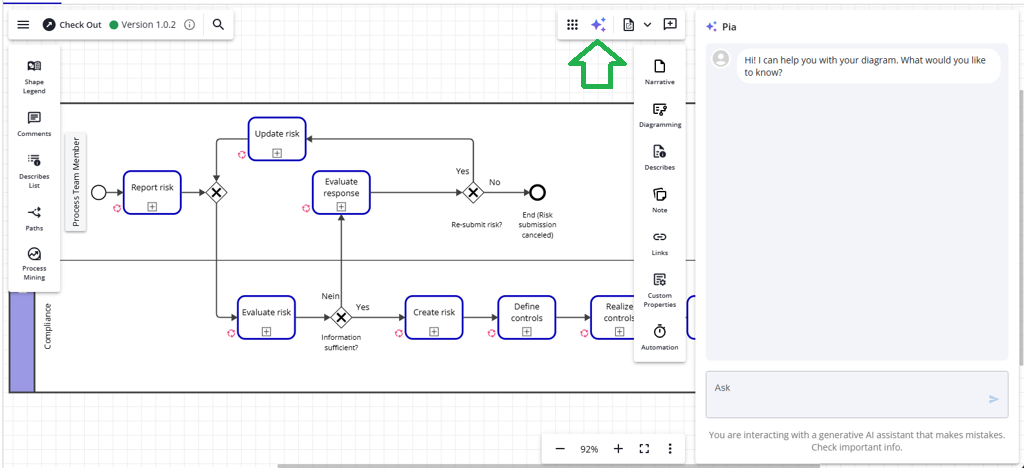
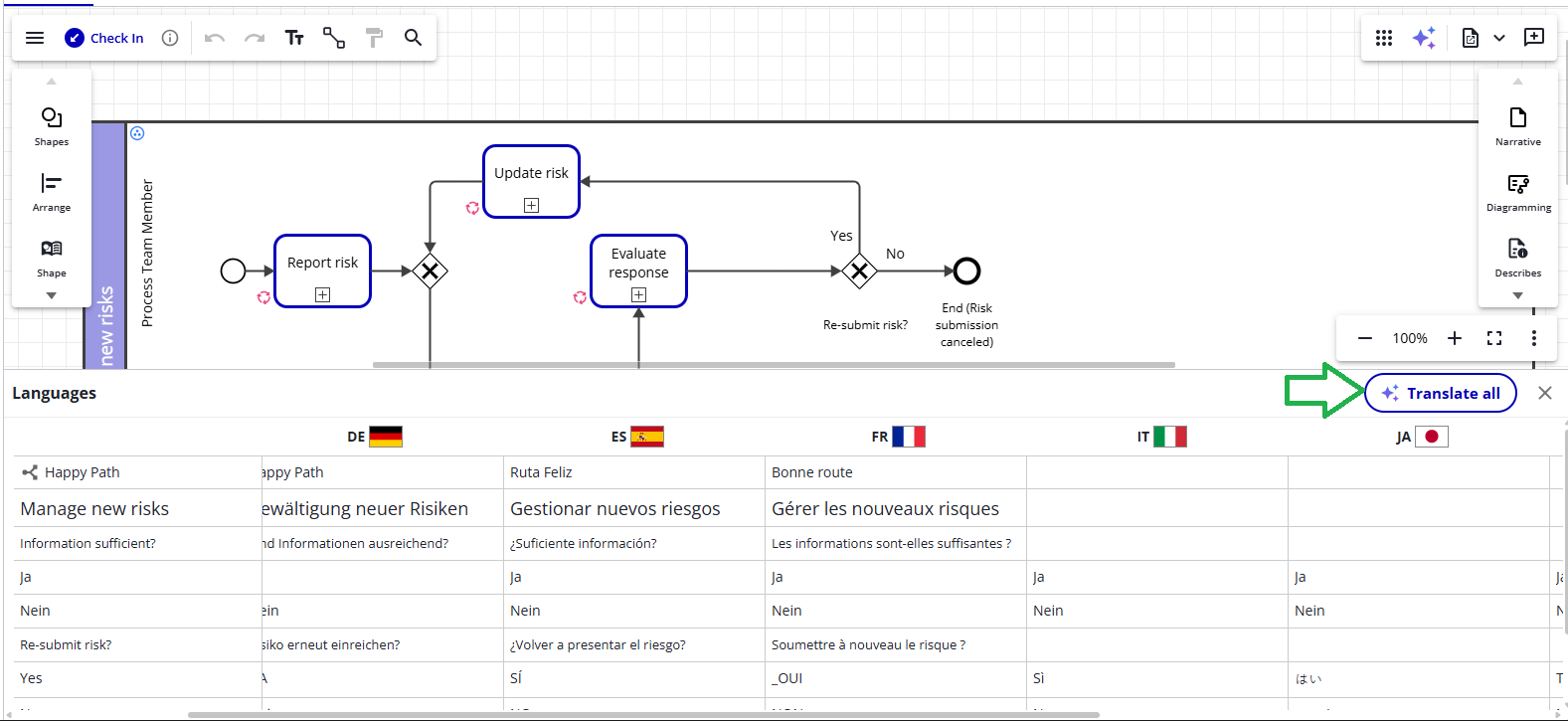
Pia Diagram Insights puts BPMN error checks, risk analysis, content summarization, translations, and a range of additional capabilities right at your fingertips. With the help of our AI assistant Pia, you can now gain comprehensive insights into any diagram - whether they are created by others or yourself - ensuring that they adhere to BPMN best practices and include all the critical steps expected for a detailed process in your industry vertical.
For more details: Pia Diagram Insights
New: Control assessment
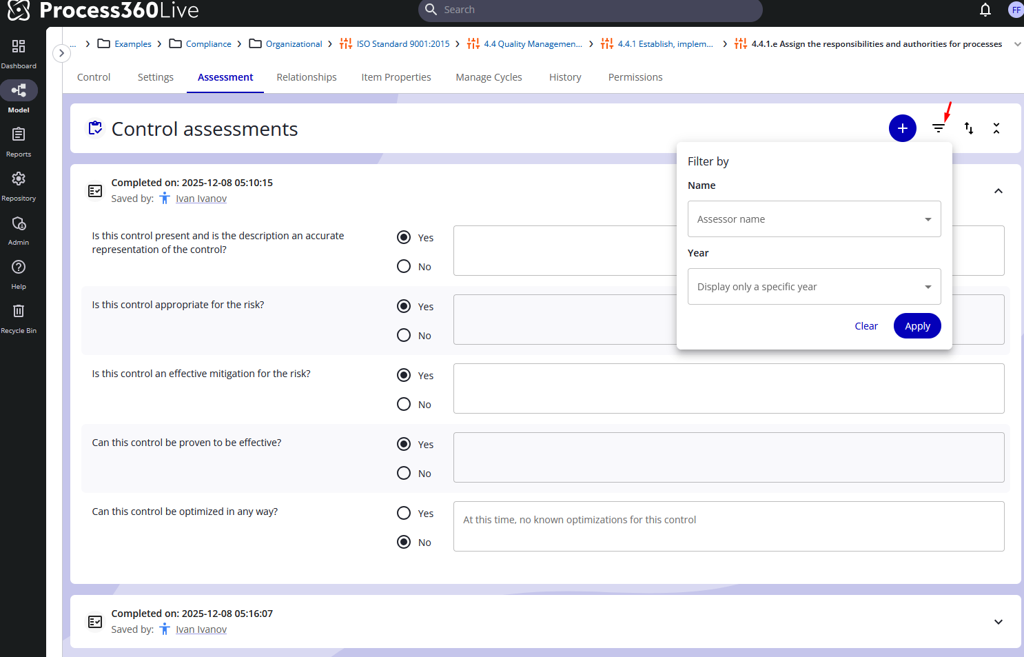
Control objects now have an assessment tab where users can review and assess the control data by answering pre-defined questions. This allows you to track the current control validity and to properly audit the assessment. To automate workflows, we also have added new API endpoints.
For more details: Control Assessments
New: Narrative configuration UI
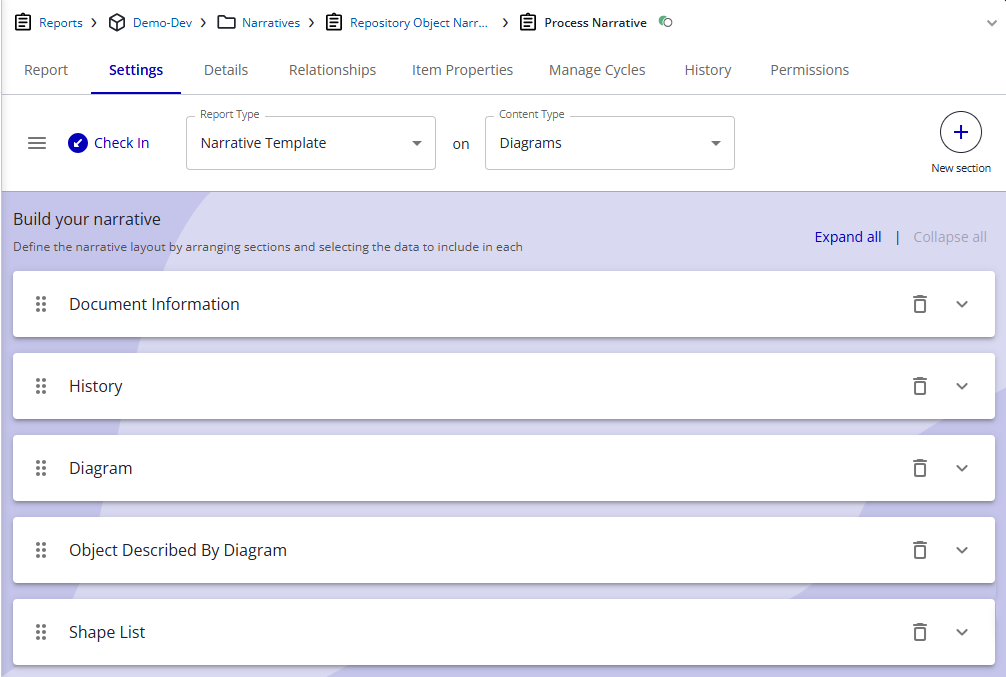
Get a first glimpse into the new user interface for the report settings. This allows you to prepare documentation or test out the new user experience when configuring the narratives,
Learn more about Narratives
Simulation Improvements
Seed Variations
You may now automatically indicate you want additional simulations run, with each additional run automatically varying the seed (which controls the sequence of random numbers). This allows you to quickly test your model’s sensitivity to randomness, varying only the seed for each additional run.
Simply click the ‘More’ button in Run Setup, and choose Seed Variations.
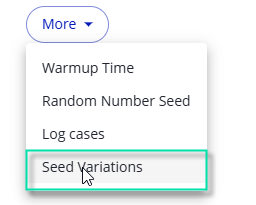
The Seed Variations works together with Scenarios, so if you ‘run all scenarios’ then each Scenario will also run the number of additional variations you have specified with your Seed Variations setting in Run Setup.
Pause Point Indicator
Pause Points now show an indicator on the shape where they are active. This helps you finding them in the context of your diagram.

Note that you may change whether Pause Points are active (on) or inactive (off) during simulation. If a Pause Point was set to inactive, the indicator is not displayed on the shape.
Read more: Definition of Simulation Shape Properties
Deprecation
API - Removal of the old documentedbyurl endpoints
With this release the old documentedbyurl endpoints are removed from the platform. Please follow this link to switch to the new end points right away: Deprecation Notice