19.5.0 Cloud Release Highlights
Early Access
How to enable Early Access features
-
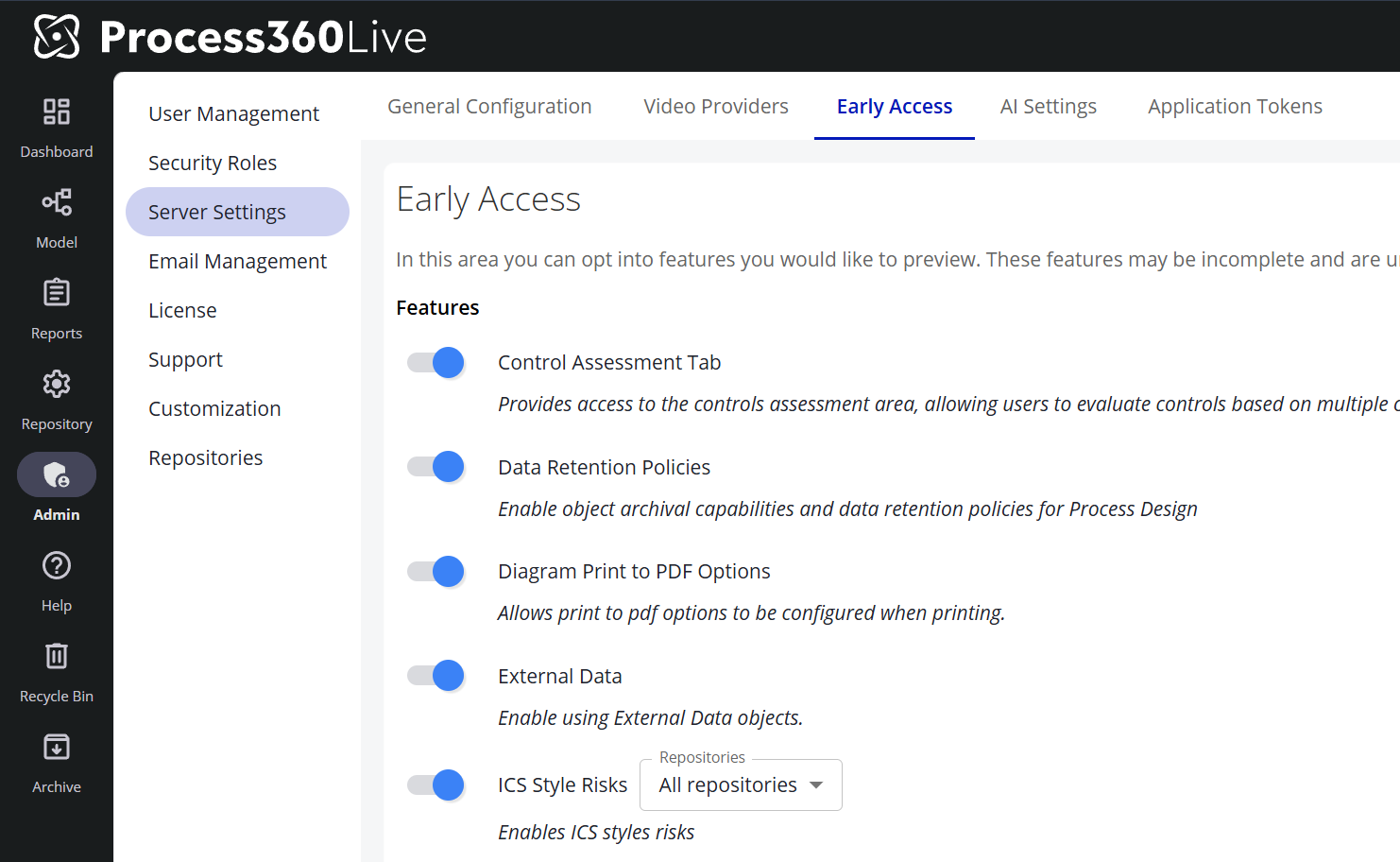
Go to Admin → Server Settings
-
Navigate to the Early Access tab. AI-related Early Access features (such as Pia Diagram Creation) live on the adjacent AI Settings tab and are toggled the same way.
-
Toggle the features you would like to enable
Note: Features with a ℹ️ icon are in General Access. These features are fully released; customers are provided a temporary window to disable these features to perform internal training and communications before the feature is permanently enabled.
Pia - Process Intelligence Assistant
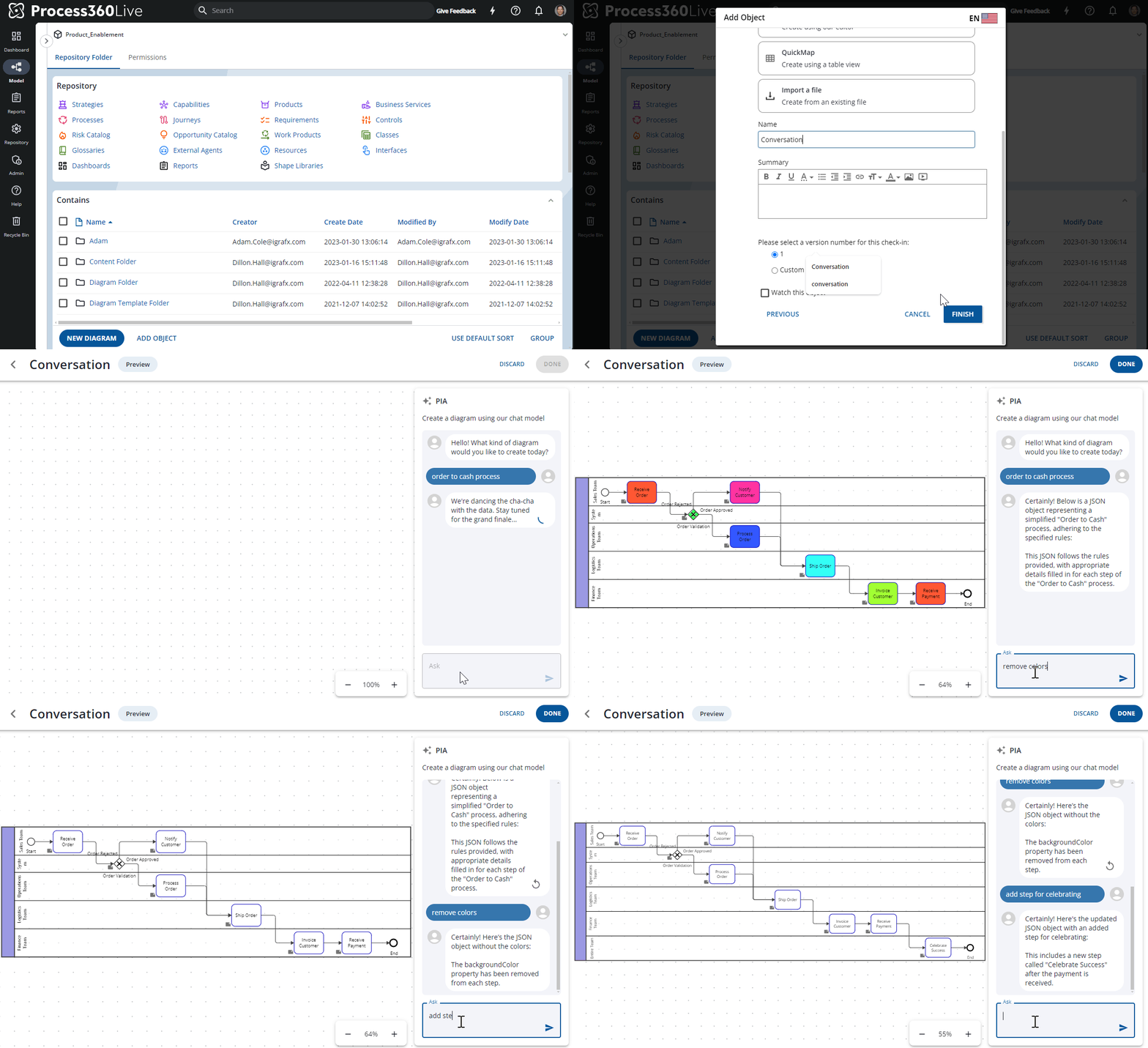
Pia is conversational diagramming tool that uses AI to create new diagrams based on the prompts you provide.
Create a new diagram, select Pia as the diagram type, and let Pia know what you want. Provide a generic prompt such as, “Create an order to cash process” or a detailed prompt such as meeting notes where your team discussed what the process is like.
Visual Updates
List of minor visual updates made in 19.5.0
This list of visual updates is provided for customers that need specific awareness of UI updates to Process360 Live Design.
Learn More
| The custom properties panel in diagrams has several minor visual updates associated with updating the underlying technology for this panel. No changes in functionality. The “Collection of text” property type has the largest visual change. | 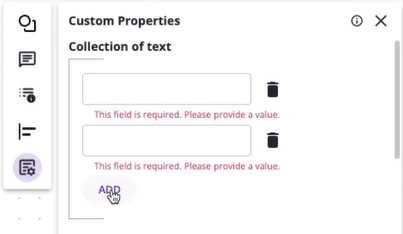 |