18.3.8 Cloud Release Highlights
Features
Export Object History to Excel
Download the history of an object to an Excel file to analyze the object history details.
Learn More
Export an object’s history to an Excel file to analyze the history in greater detail. Navigate to an object → History → scroll to the bottom of the page and click “Download as Excel” When searching for specific changes made in an object’s history use features in Excel such as filter and sort to get detailed insights more quickly. |
Video Support in Shape Text
Add videos to the “text” portion of shapes.
Learn More
Include videos in shape text to explain the step with a video.
Use videos to make your diagrams more engaging and relatable when the process or activity needs to be seen, not read. |
New Reporting Properties
New query properties are available to report on which users are Watching objects.
Learn More
API Free Tier
All cloud customers are now granted a free tier of API access that includes 10,000 API calls per month. If you plan to build internal services around our API that might exceed the free tier for API access, please contact us so we can plan with you.
See API details at: Administration → Support → REST API → iGrafx Platform API Documentation
Early Access
How to enable Early Access features
How to enable Early Access features
|
Audit Data Microservice
When enabled, the audit service starts logging user activity for audit purposes, and may be queried at a later date via API.
Learn More
The audit service starts logging user activity in support of auditing capabilities. By enabling the feature, logging of user activity is turned on. iGrafx recommends this feature is enabled as soon as possible so your company can start collecting data. You may not need to query the data for some time, though without logs you cannot review what was done and gain insights.
See audit service API documentation here for instructions on querying the audit service.
Note: iGrafx does not have access to the information in your audit logs.
New Diagram Experience
The New Diagram Experience Early Access feature continues to undergo major improvements. If you turn this feature on and have feedback on where we are headed we would like to hear from you. Please submit a ticket to the Service Desk to do so.
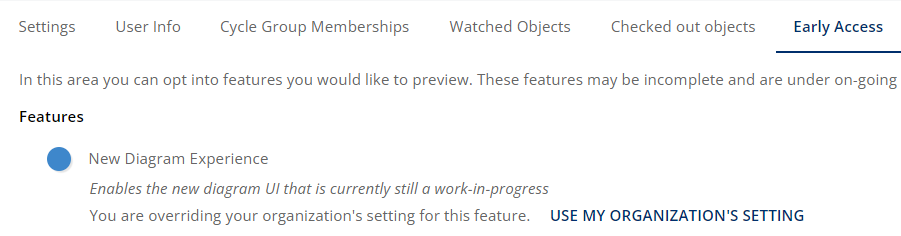
This feature may be turned on or off by users individually while the feature is in Early Access, separately from the Server Setting. Navigate to: Profile Picture in top right → My Profile → Early Access and toggle New Diagram Experience
Note: This update changes left and right mouse button functions when the New Diagram Experience Early Access feature is enabled. Learn more about UI Plans in the Product Blog.
-
Left click hold mouse dragging does group/lasso selecting
-
Right click hold mouse dragging does panning