19.1.2 Datacenter Highlights
Recent Product Blog Articles
Faster Bug Fixes and Global Loading Improvements
24.06.05 v19.0 Integration Dates for General Access Features
Features
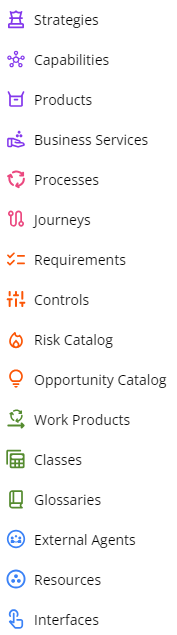
Organized Object Tree
The Object Tree root objects are re-arranged to align with the icon color coding that was introduced in v19.0.0.
Diagramming - Smart Guides
Smart Guides provide users editing diagrams with on-screen indicators to help users line shapes up and space them out evenly as a user places the shape.
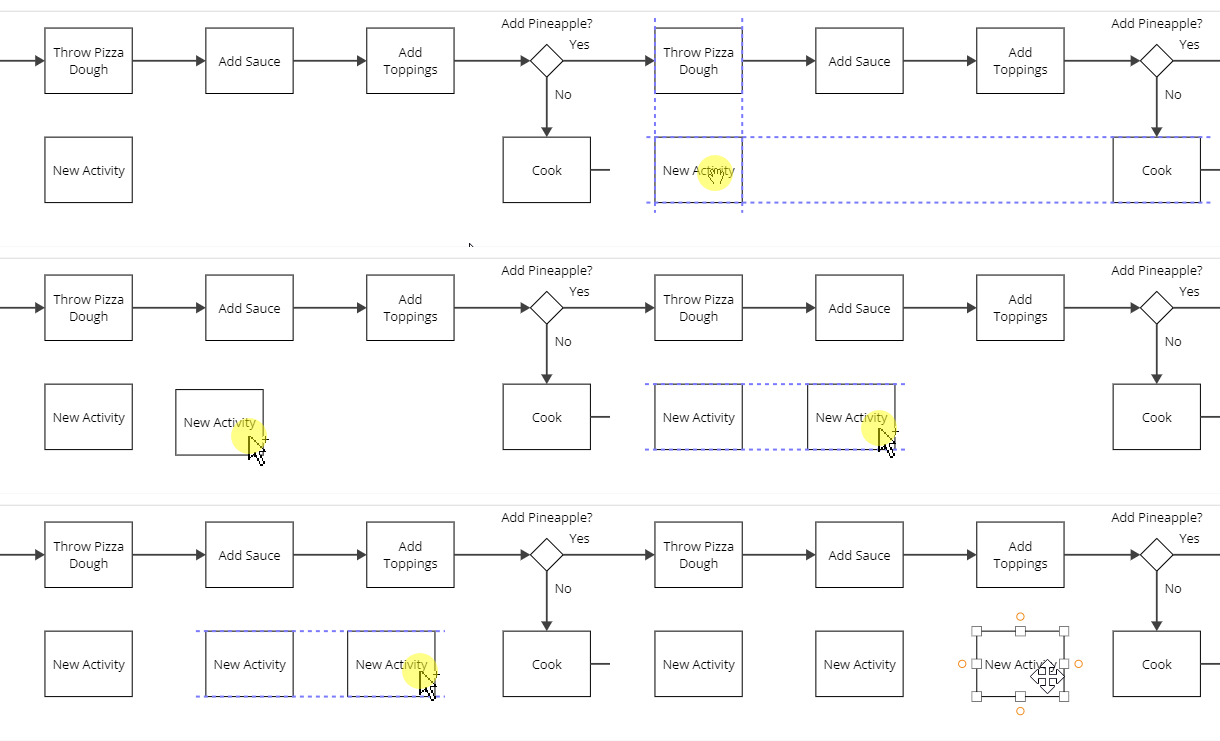
Note: Smart Guides may be disabled / enabled by clicking the 3 vertical dots in the bottom right of the diagram and selecting “Smart Guides”
Learn more about Smart Guides here.
IGX Diagram Mouse Behavior
The right click mouse behavior for IGX diagrams (desktop client diagrams uploaded to Process360 Live) now pans the diagram when the user right clicks + mouse drags. This update matches the the mouse behavior for IGXW diagrams (native web client Process360 Live diagrams) with the New Diagram Experience feature flag enabled.
Early Access
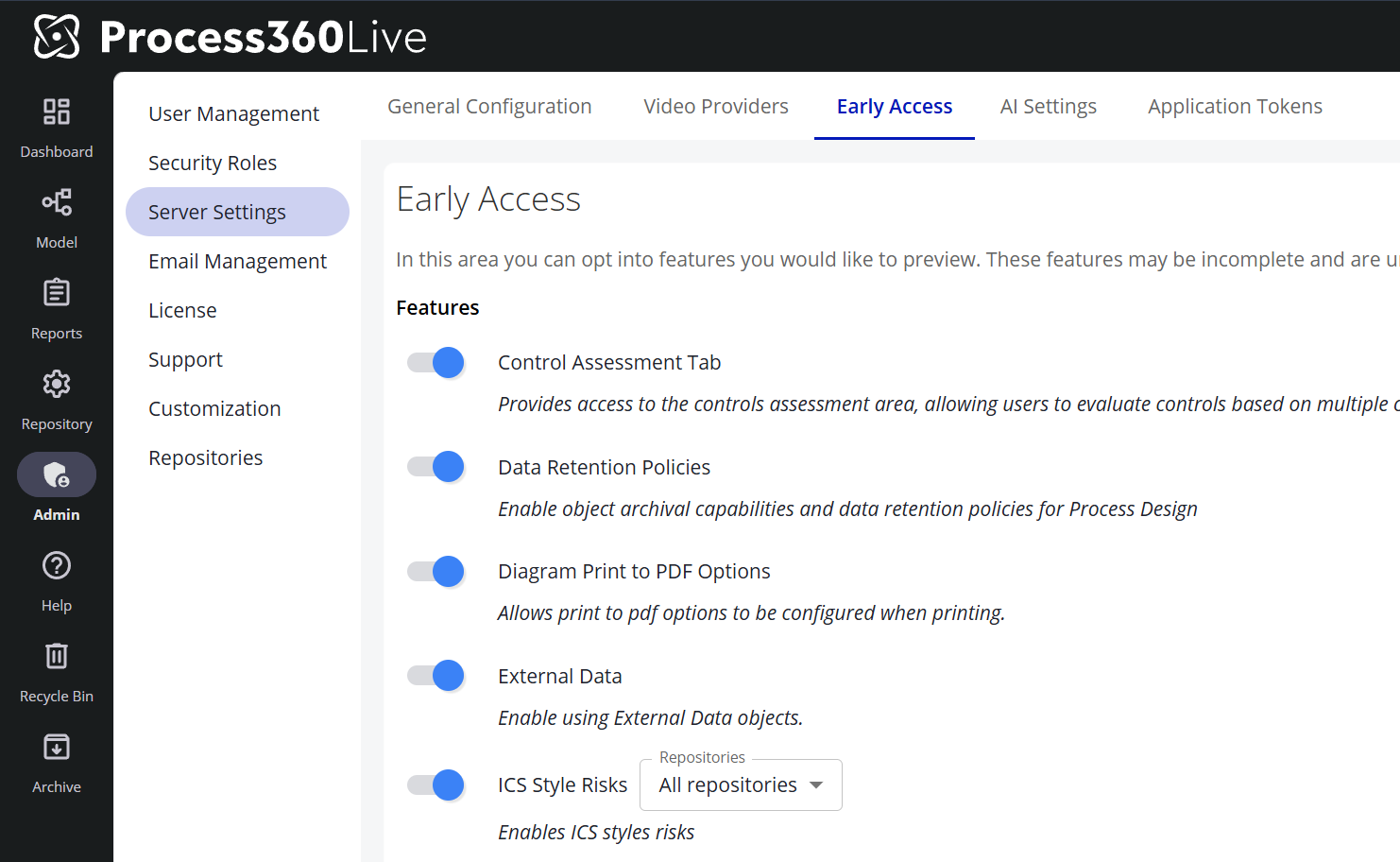
How to enable Early Access features
-
Go to Admin → Server Settings
-
Navigate to the Early Access tab. AI-related Early Access features (such as Pia Diagram Creation) live on the adjacent AI Settings tab and are toggled the same way.
-
Toggle the features you would like to enable
Note: Features with a ℹ️ icon are in General Access. These features are fully released; customers are provided a temporary window to disable these features to perform internal training and communications before the feature is permanently enabled.
Process Owner - Bulk Operations
The Early Access feature, Process Owner, now includes support for Bulk Operations such as adding or removing Process Owners for multiple diagrams or process objects simultaneously.
Note: This requires the Early Access features “Bulk Object Changes” and “Process Owner” to be enabled.
Visual Updates
List of minor visual updates made in 19.1.0
Learn More
Diagram Compare functionality now updated to include floating bars and align with the New Diagram Experience look and feel. |
Feedback on the Product Blog
If you have comments, questions, or suggestions for topics on the Product Blog, please e-mail us at ProductBlog@iGrafx.com