19.16.1 Datacenter Highlights
Reporting - Linked user to resource
You can now report on the user associated with a resource object. This makes it easier to verify that every person resource is linked, to confirm it’s the correct user, or to check whether the linked user is active or disabled so the person can be replaced if needed.
New reporting properties (ℹ️ not available as filter):
linkedUserToResource(.user, .enabled, .id)
Reporting - IQL query properties update
The IQL Query Properties page has been refreshed to include all properties and their values that have been added in recent releases. This ensures the documentation is now fully up to date, making it easier for users to discover and use the complete set of available IQL properties in their reports.
Learn more: IQL query properties
Early Access
How to enable Early Access features
-
Go to Admin → Server Settings
-
Navigate to the Early Access tab. AI-related Early Access features (such as Pia Diagram Creation) live on the adjacent AI Settings tab and are toggled the same way.
-
Toggle the features you would like to enable
Note: Features with a ℹ️ icon are in General Access. These features are fully released; customers are provided a temporary window to disable these features to perform internal training and communications before the feature is permanently enabled.
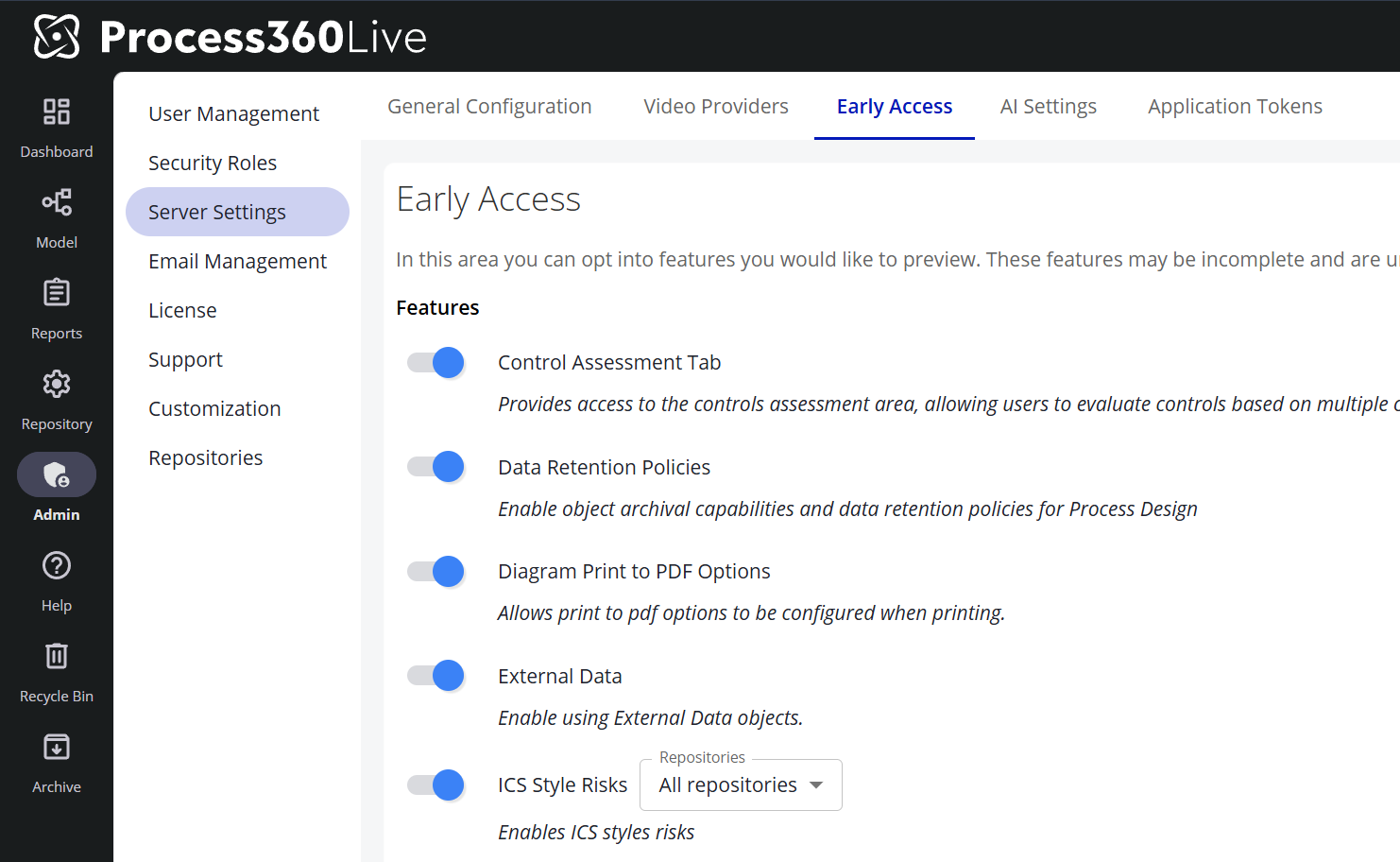
⚠️ New: - Internal Control System / ICS Risk Management
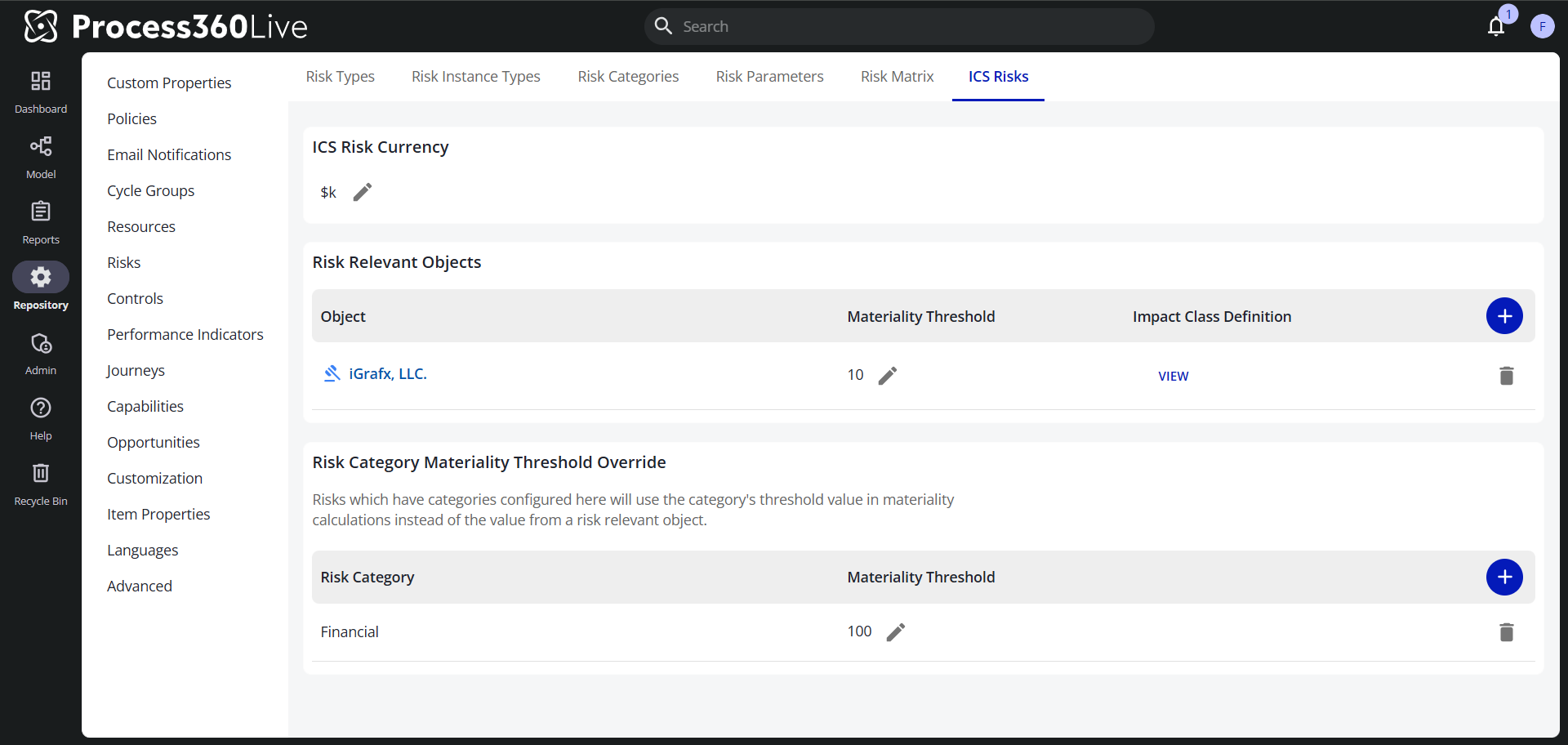
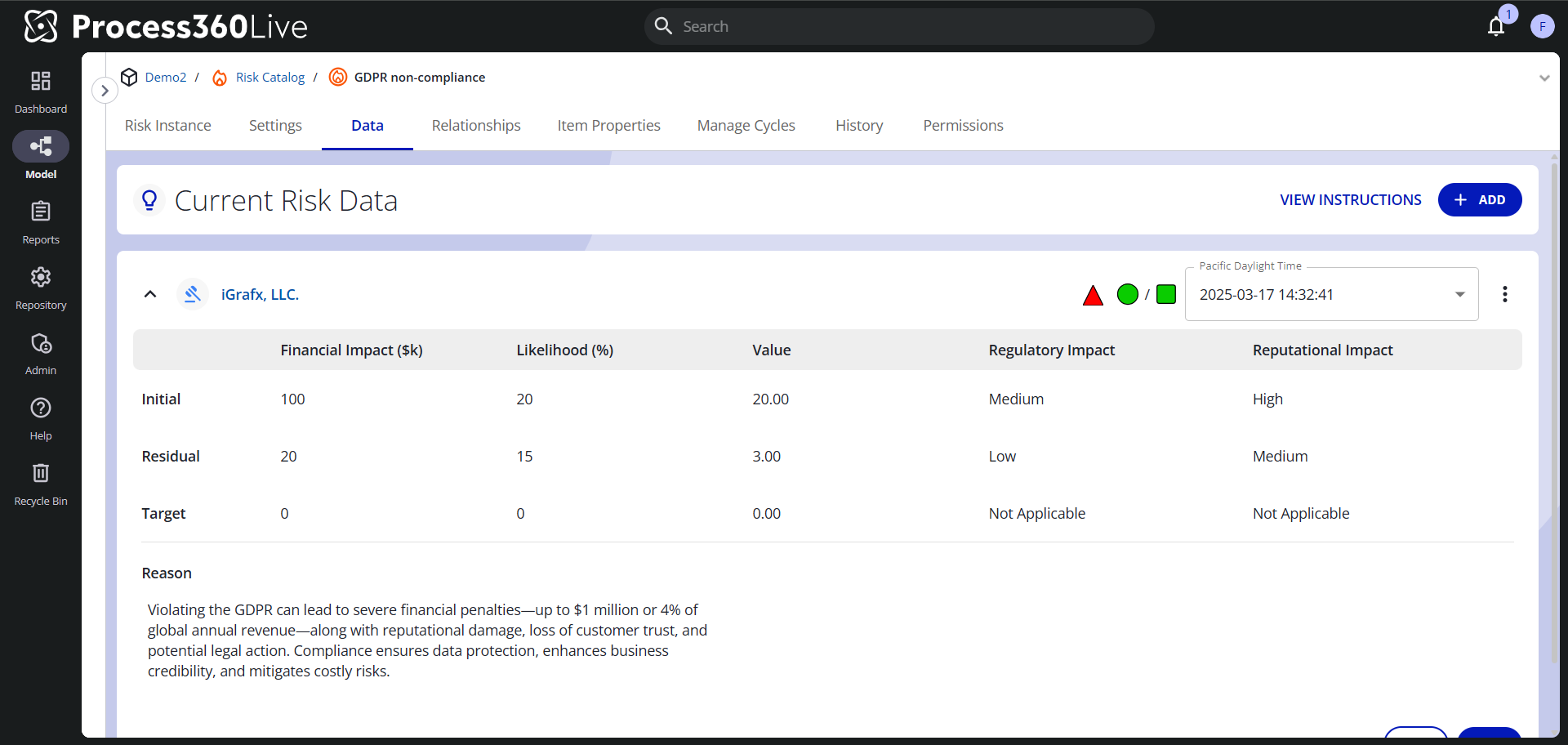
We are pleased to introduce ICS Risks, a specialized feature designed to help insurance companies and other regulated organizations capture, document, and manage risks within their Internal Control System (ICS) — fully aligned with industry-specific compliance and governance requirements. It gives you greater transparency and control over critical processes and associated risks.
Go here to learn more: Internal Control System/ ICS Risk Management