18.3.8 Datacenter Release Highlights
Features
Export Object History to Excel
Download the history of an object to an Excel file to analyze the object history details.
Learn More
Export an object’s history to an Excel file to analyze the history in greater detail. Navigate to an object → History → scroll to the bottom of the page and click “Download as Excel” When searching for specific changes made in an object’s history use features in Excel such as filter and sort to get detailed insights more quickly. |
Video Support in Shape Text
Add videos to the “text” portion of shapes.
Learn More
Include videos in shape text to explain the step with a video.
Use videos to make your diagrams more engaging and relatable when the process or activity needs to be seen, not read. |
New Reporting Properties
New query properties are available to report on which users are Watching objects.
Learn More
Early Access
How to enable Early Access features
How to enable Early Access features
|
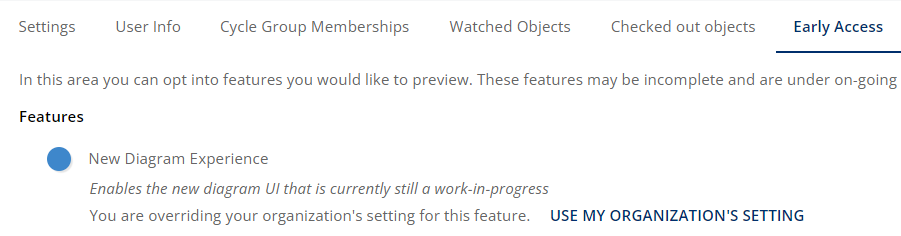
New Diagram Experience
The New Diagram Experience Early Access feature continues to undergo major improvements. If you turn this feature on and have feedback on where we are headed we would like to hear from you. Please submit a ticket to the Service Desk to do so.
This feature may be turned on or off by users individually while the feature is in Early Access, separately from the Server Setting. Navigate to: Profile Picture in top right → My Profile → Early Access and toggle New Diagram Experience
Note: This update changes left and right mouse button functions when the New Diagram Experience Early Access feature is enabled. Learn more about UI Plans in the Product Blog.
-
Left click hold mouse dragging does group/lasso selecting
-
Right click hold mouse dragging does panning