Steps to remediate Log4j 2 CVE-2021-44228 & CVE-2021-45046 without upgrade
While the following steps will mitigate the vulnerability, reported by CVE-2021-44228 & CVE-2021-45046, staying on an older version will leave you vulnerable to other CVEs that have been addressed since then. Therefore, we recommend upgrading to the latest software version.
If you are not able to upgrade to iGrafx Platform 17.8.3.832.3680 or newer to remediate the vulnerability https://nvd.nist.gov/vuln/detail/CVE-2021-44228 and https://nvd.nist.gov/vuln/detail/CVE-2021-45046 and your platform version is at least 16.2, please follow these steps:
-
Find your iGrafx Platform installation directory
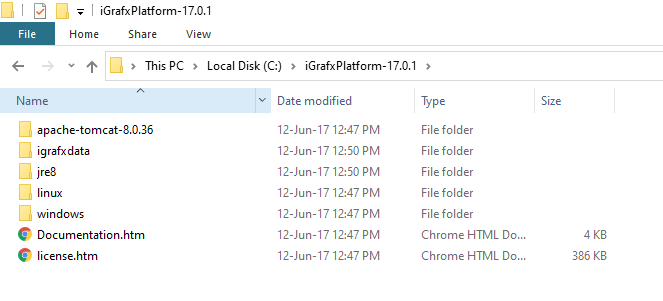
-
Navigate to the folder
apache-tomcat-x.x.xx\igrafx\iGrafxWebApp\WEB-INF\lib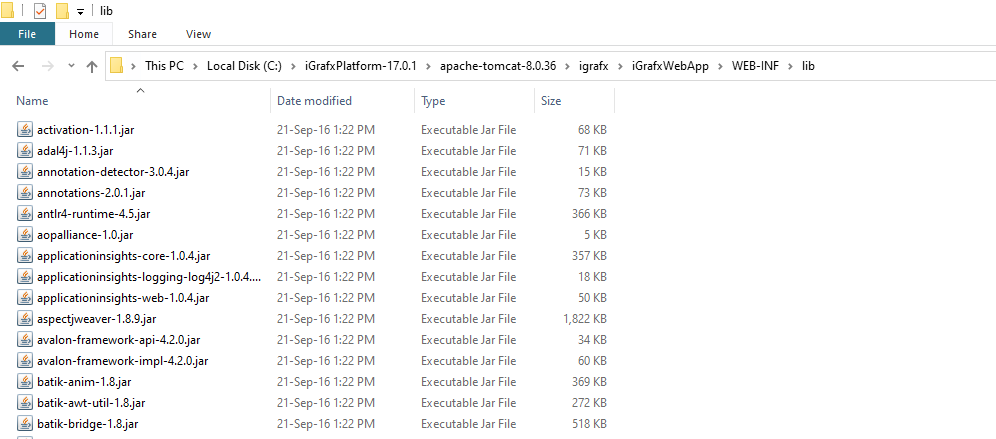
-
Locate the file
log4j-core-2.5.jar(version number may differ) and rename it tolog4j-core-2.5.zip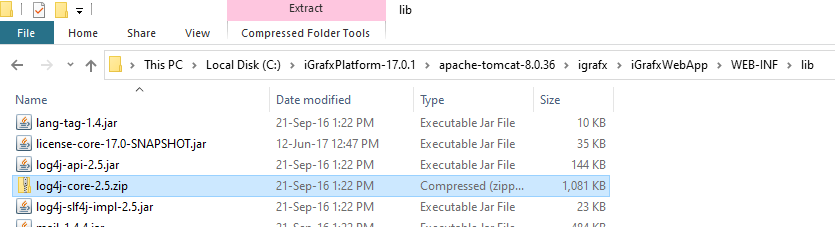
If you cannot rename the file, make sure that File name extensions are enabled:

-
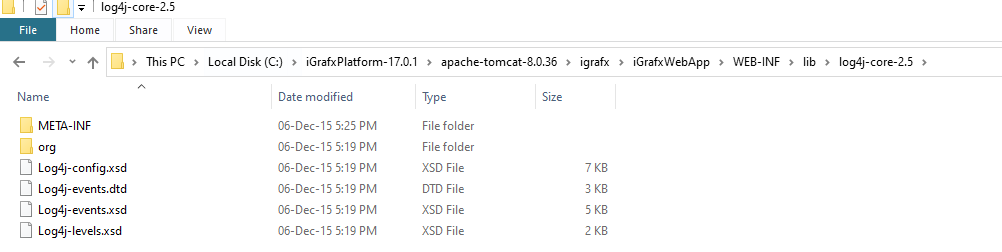
Extract the file to a directory. It should look similar to this
-
Navigate to the folder
org\apache\logging\log4j\core\lookupand delete the fileJndiLookup.class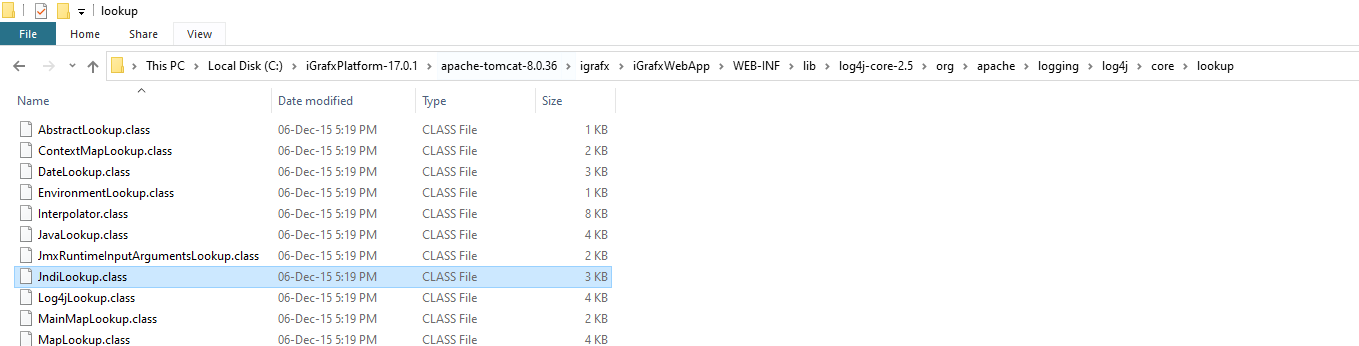
-
Go back to the root folder and re-ZIP the library by selecting all 6 folders/files, right click and select
Send to→Compressed (zipped) folder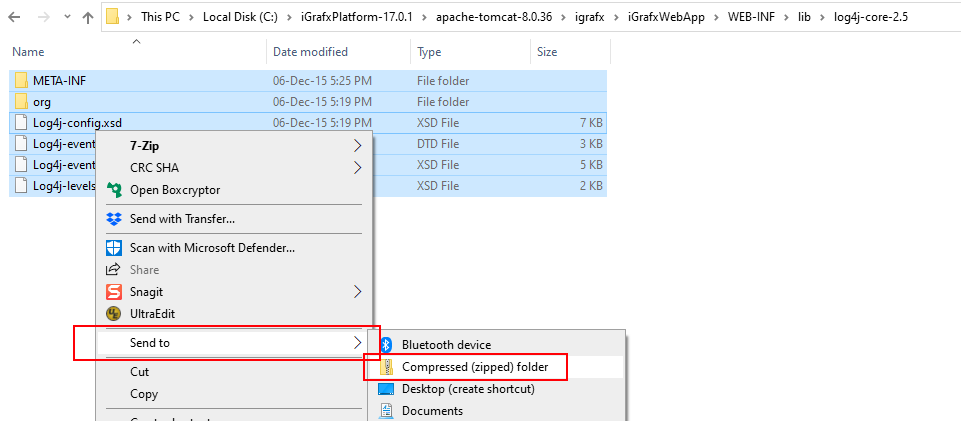
-
Rename the resulting ZIP file back to
log4j-core-2.5.jar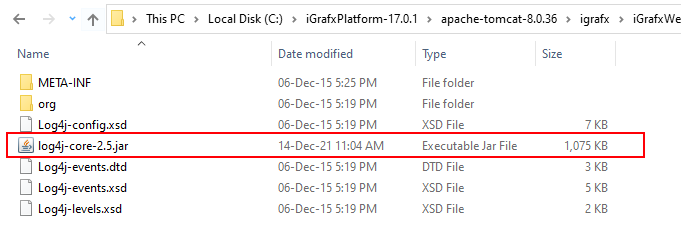
-
Move the
log4j-core-2.5.jarfile back into theapache-tomcat-x.x.xx\igrafx\iGrafxWebApp\WEB-INF\libfolder and delete your temporarily unzipped folder. -
Delete the
log4j-core-2.5.zipfile in that same folder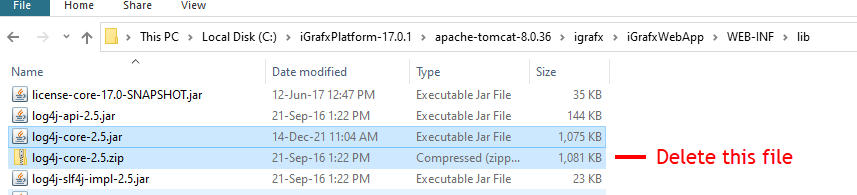
-
Restart your platform
Info:
There is no negative impact of removing that class from the logs as the platform is not using that functionality.