Chapter 1 Connect to the Repository
Your administrator should provide you the following information necessary to connect to the iGrafx Platform:
- iGrafx Platform URL
- Username
- Initial Password
This guide assumes that you will learn the product using a repository named "Training" but the repository name that you use might be different.
- In the Address bar of your browser enter the appropriate URL and press Enter
- For Username, enter the provided Username (case sensitive)
- For Password, enter the provided Password (case sensitive)
- Click

- In the left frame, choose the Model area
 of the iGrafx Platform
 - The "Training" repository should be displayed:
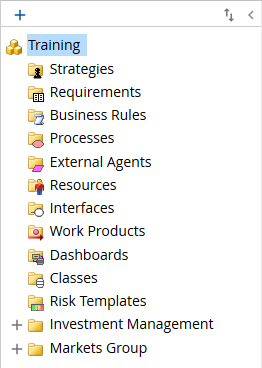 If the "Training" repository is not displayed, choose it from the repository drop-down located near your login name at the upper right of the page.
Continue to Chapter 2.