Bulk Relationship Changes
Object relationship changes can be performed in bulk from the Bulk Object Changes panel. There are currently three types of change operations available: Add, Remove, and Remove & Add.
Bulk changes to “three-legged” relationships are currently not supported
Note: You will be restricted in which types of objects you add relationships to (e.g. to External Agents and Resources only) in the current implementation of this functionality.
Add Relationships
-
Select the type of relationship you would like to add
-
Select the object(s) to which you will relate (connect) the selected objects
-
Click confirm
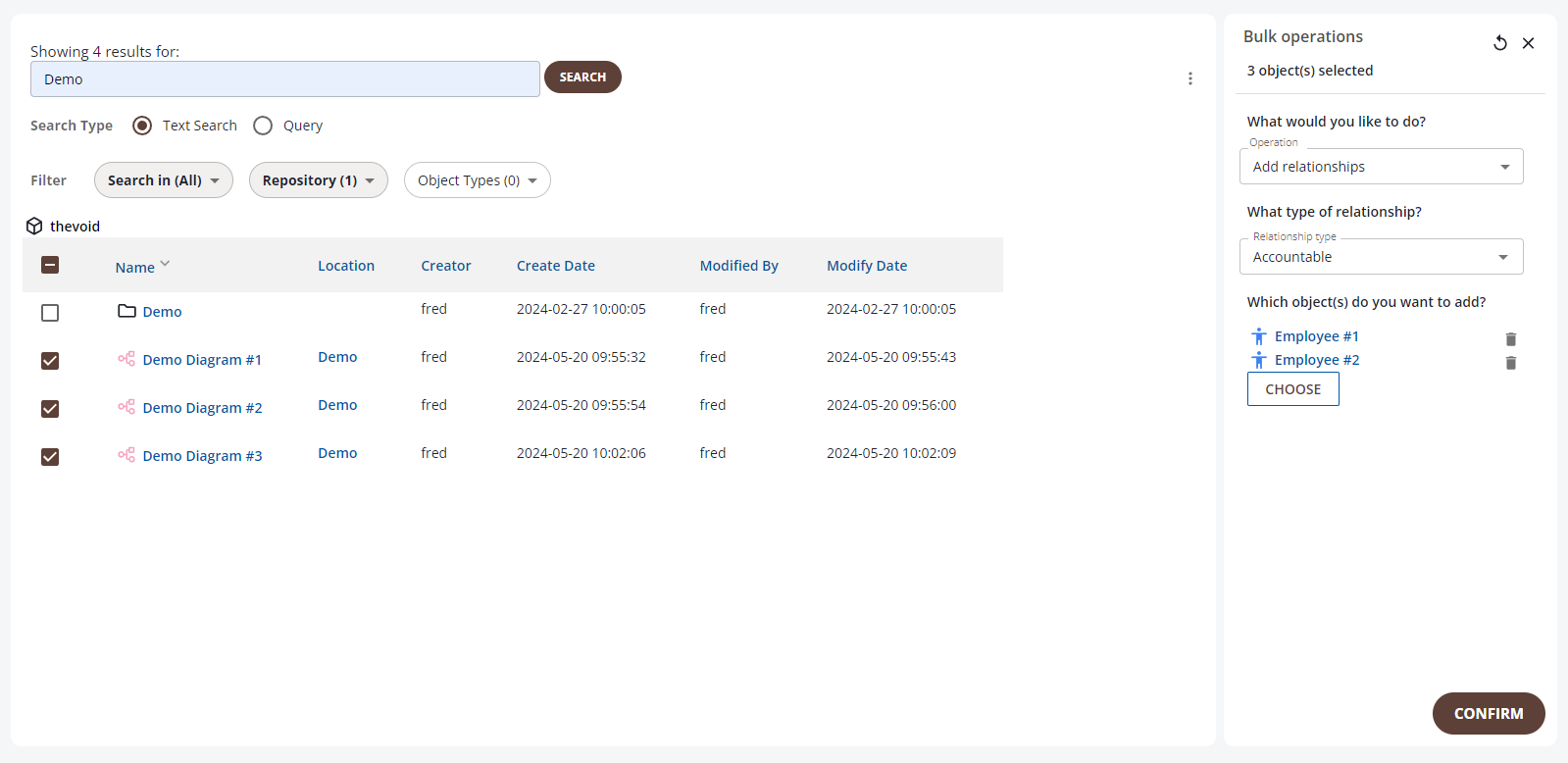
The above operation will create the following relationships (if valid):
Employee #1 Accountable for Demo Diagram #1, Demo Diagram #2 and Demo Diagram #3 Employee #2 Accountable for Demo Diagram #1, Demo Diagram #2 and Demo Diagram #3
Remove Relationships
-
Select the type of relationship you would like to remove
-
Select the object(s) for which you will remove the selected type of relationship on the selected objects
-
Click confirm
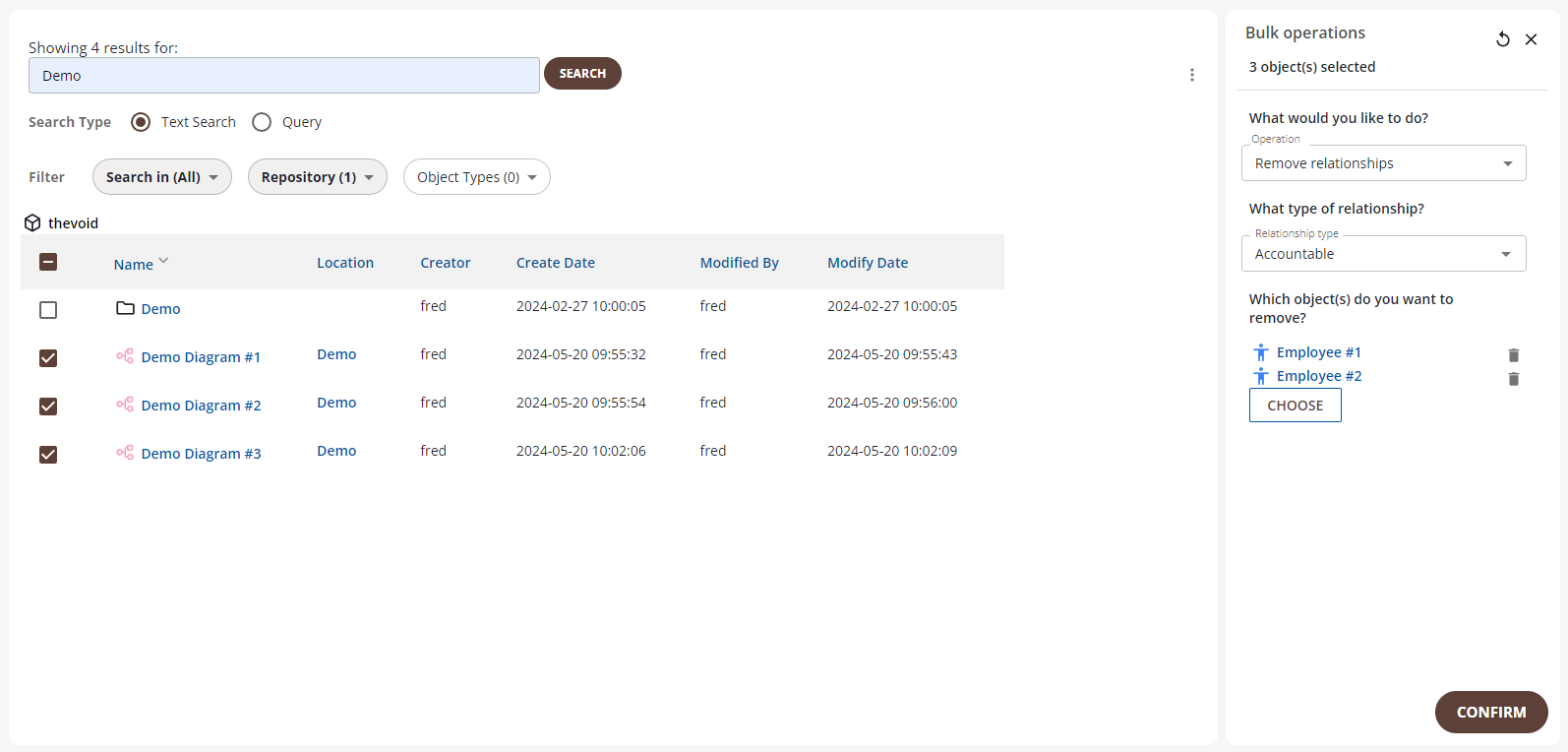
The above operation will remove the following relationships (if present):
Employee #1 Accountable for Demo Diagram #1, Demo Diagram #2 and Demo Diagram #3 Employee #2 Accountable for Demo Diagram #1, Demo Diagram #2 and Demo Diagram #3
Remove & Add Relationships
-
Select the relationship type
-
Select the object(s) for the relationship you wish to remove
-
Select the object(s) for the relationship you wish to add
-
Click Confirm
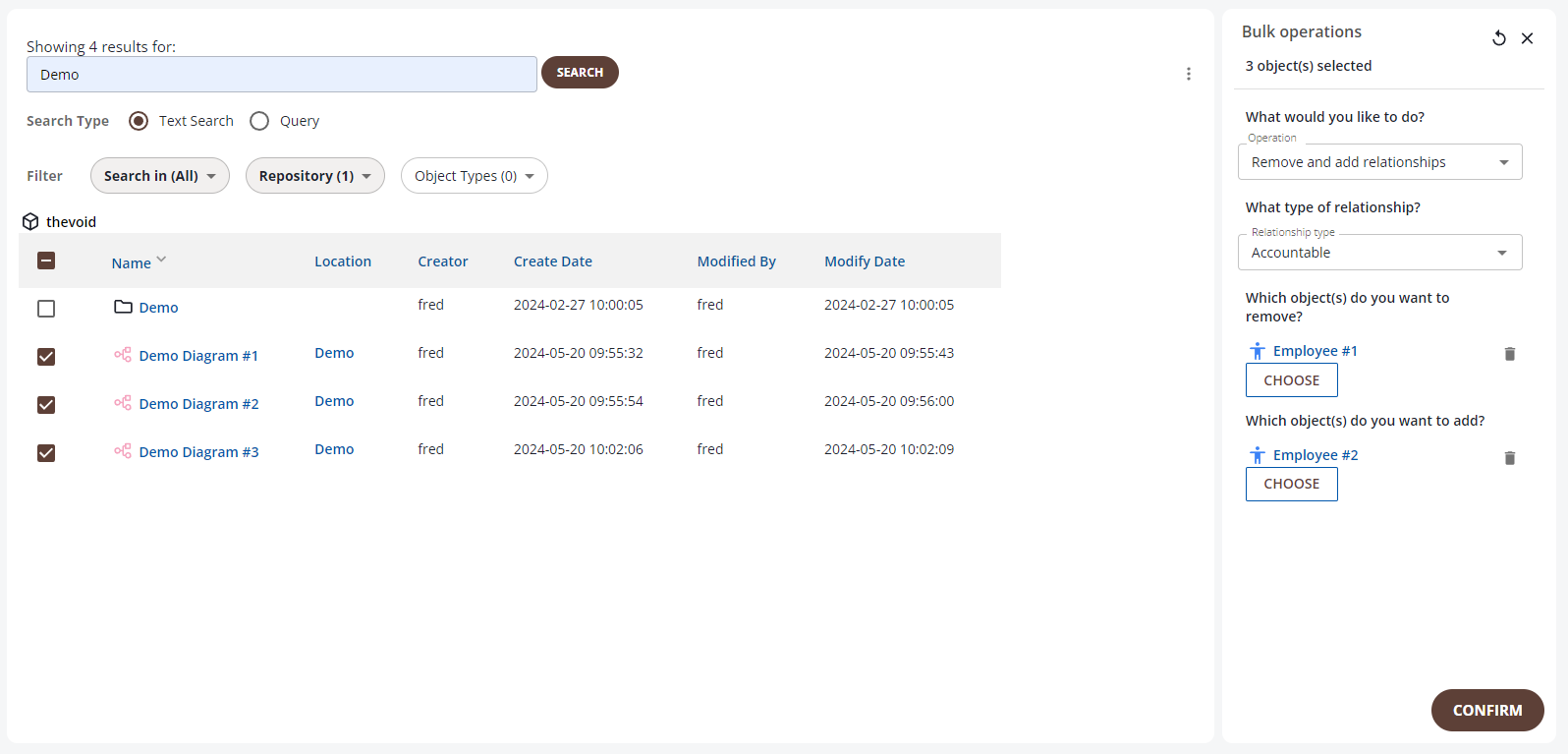
The above operation will remove the following relationships (if present): Employee #1 Accountable for Demo Diagram #1, Demo Diagram #2 and Demo Diagram #3 and add the following (if valid): Employee #2 Accountable for Demo Diagram #1, Demo Diagram #2 and Demo Diagram #3