Risk Instructions
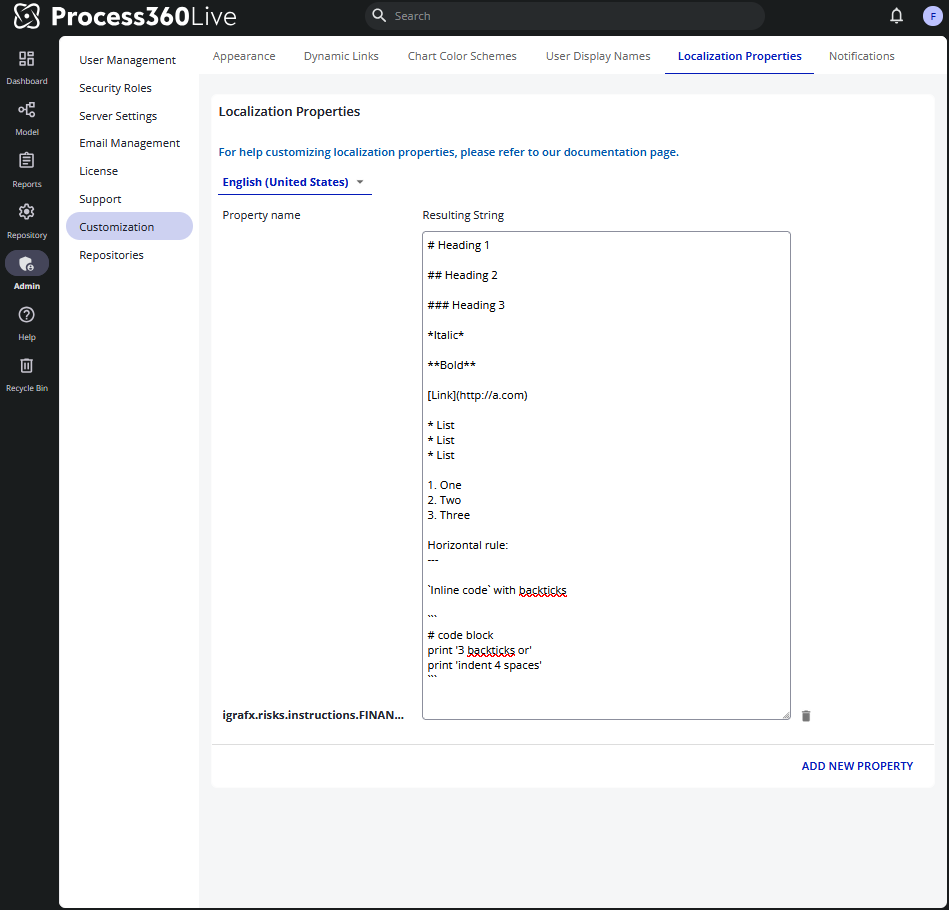
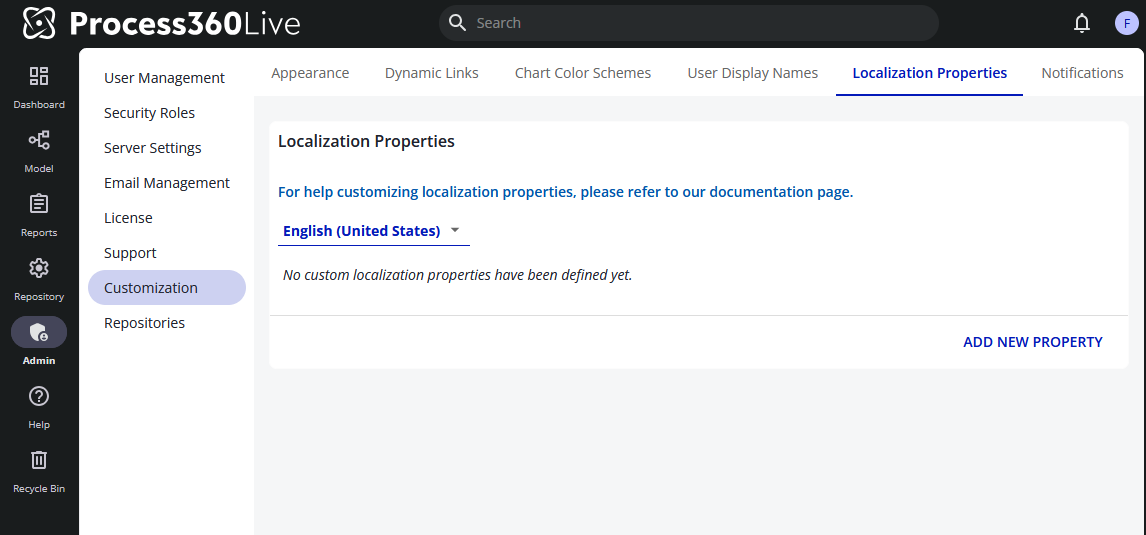
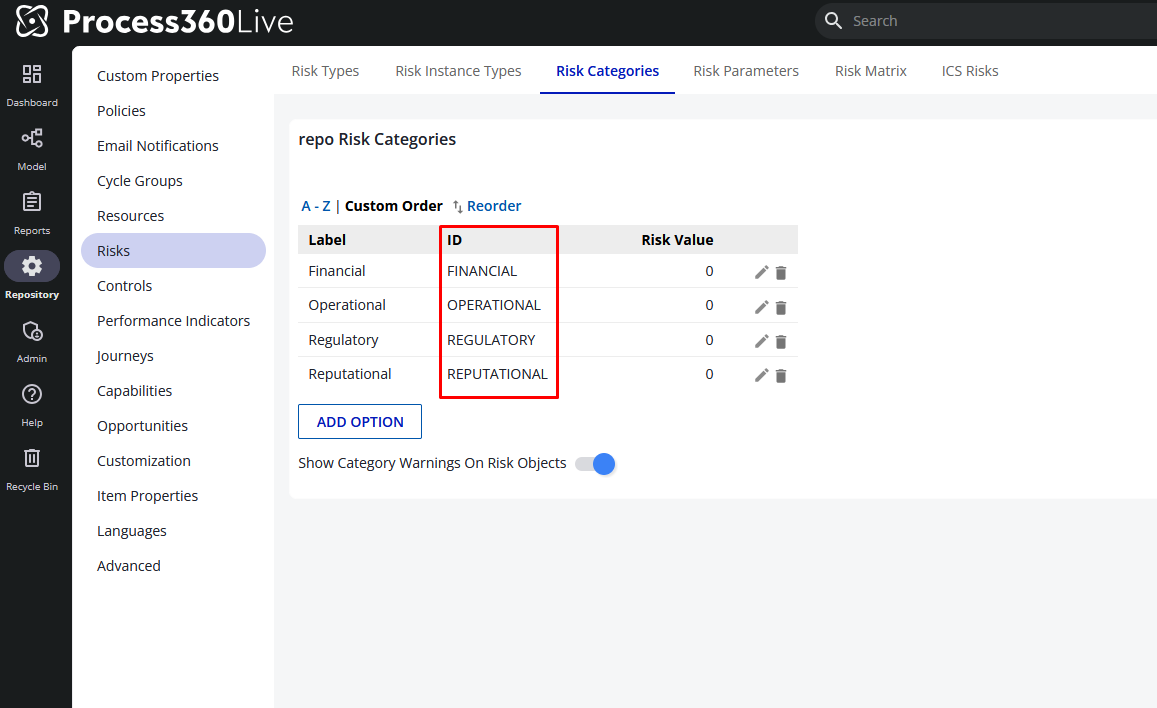
Custom risk instructions can be set by using the Admin → Customization → Localization Properties. They require using a specific prefix for the instructions followed by the ID of the risk category
-
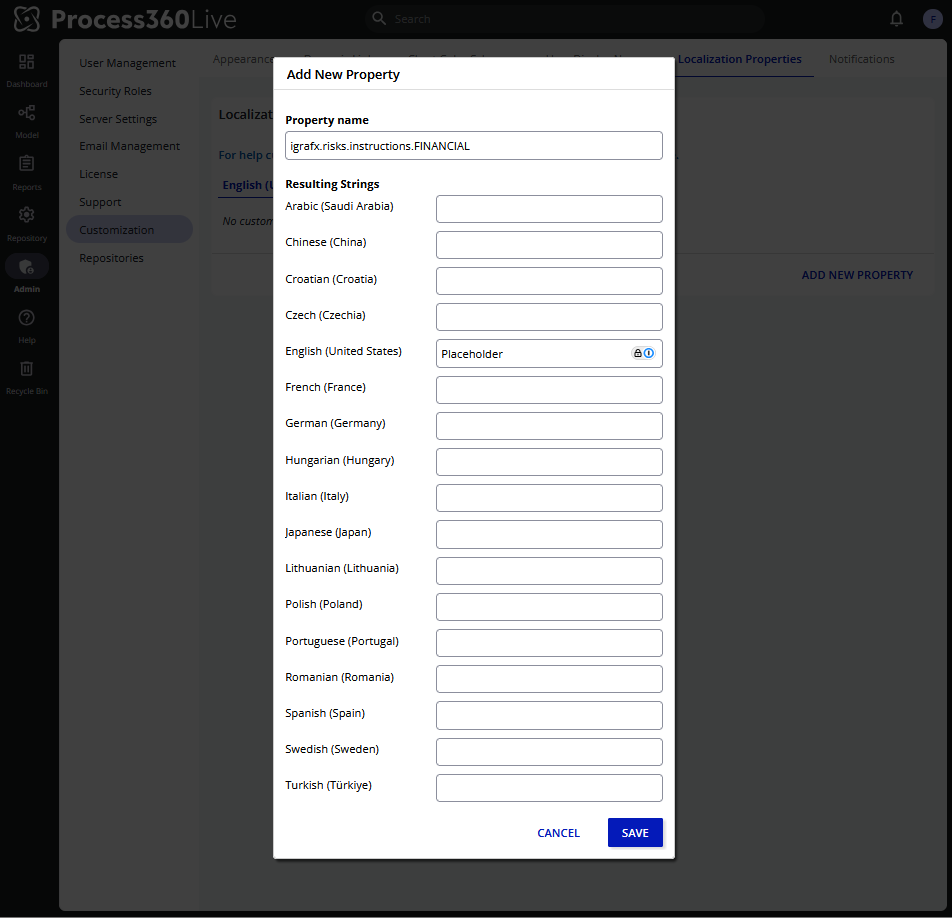
Click `Add New Property` on the Localization tab
-
Enter a property name following the format
igrafx.risks.instructions.{Risk Category ID}it should end up looking something likeigrafx.risks.instructions.FINANCIAL -
Enter a placeholder string in the selected language
-
Click save
-
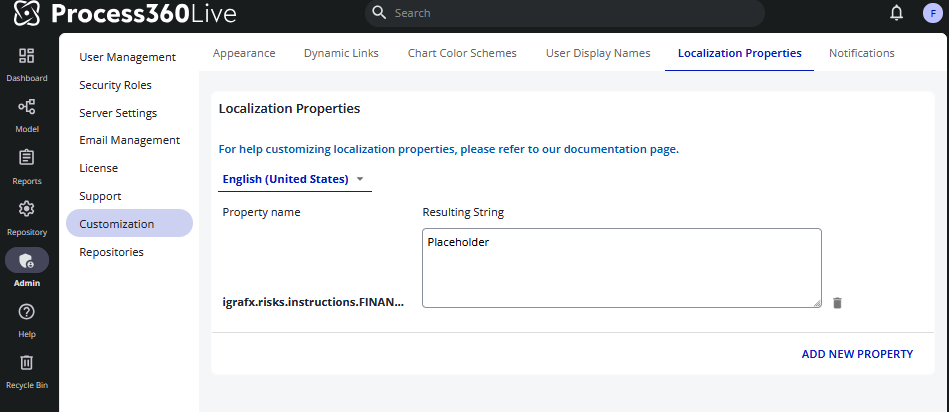
This will give you a textarea that you can enter either plain text or markdown into. This textarea can also be adjusted to see more of the text inside. Click outside of the textarea to trigger saving your changes.
-
Supported Markdown options (commonmark)
-
Italic
-
Bold
-
Heading 1
-
Heading 2
-
Heading 3
-
Links
-
Blockquote
-
Bullet List
-
Numbered List
-
Horizontal rule
-
Inline Code
-
Code Block
-
-
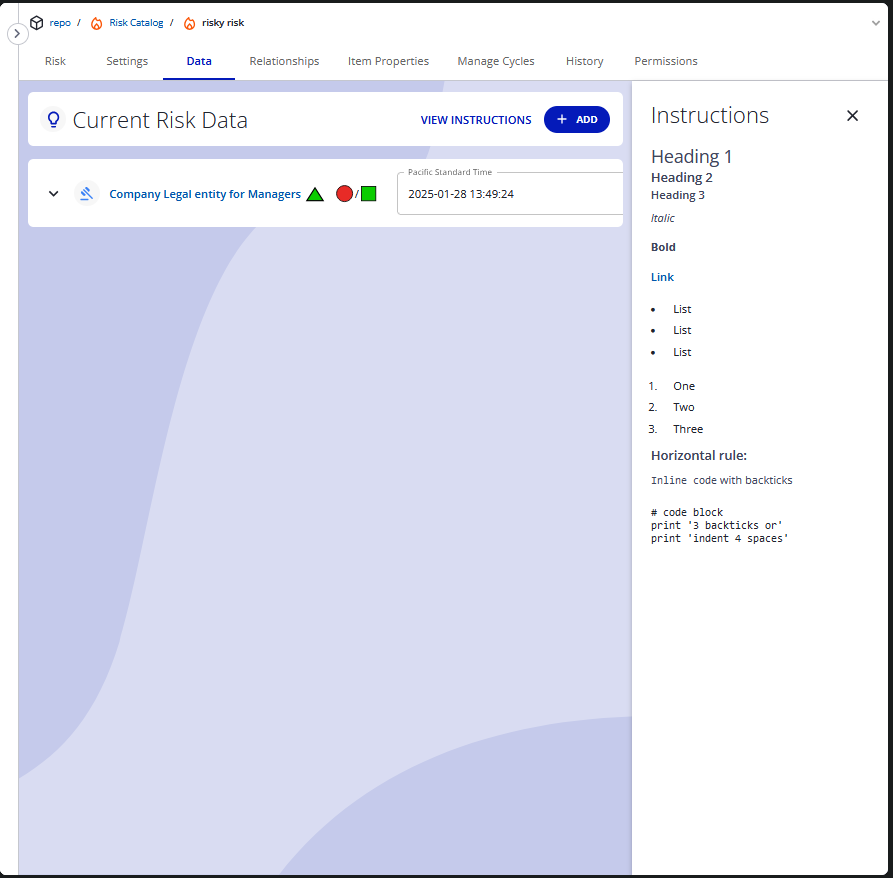
Example