Residual Risk Calculation
The residual risk value is calculated by the inherent risk value minus mitigating Control and Control Instance values which reduce the risk rating to the residual risk value.
This article describes how the individual components of the expression are calculated.
The main tab of a Risk, Risk Instance or associated objects shows current risk values. "Current" values are displayed because data entered for future dates won't be displayed, only the last historical data is used.
Sample Calculation The article builds up an example to visualize the effects of the individual components in the calculation. Here are the formulas for the calculation:
Inherent Risk = Initial Risk + Risk Type Value + Risk Category Value(s)
Combined Control = ((Average Control Rating)Key * WeightKey) + ((Average Control Rating)Non-Key * WeightNon-Key)
Residual Risk = Inherent Risk - Combined Control
Inherent Risk Value
In most cases the inherent risk value will be the same value as the initial risk value. Default values are zero for additional risk type and risk category factors.
In the following example, values, colors, and ranges may have been changed from their default setting.
Initial Risk Value
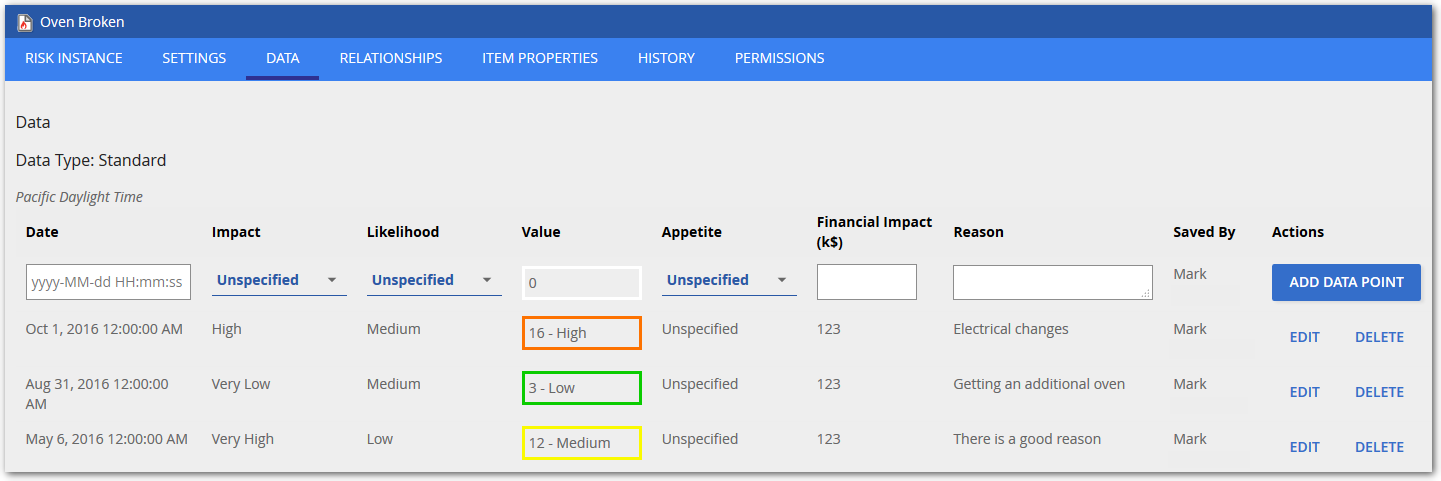
The initial value as set on a Risk or Risk Instance data tab. In this example the combination of High Impact and Medium Likelihood results in an initial risk value of 16 - High.
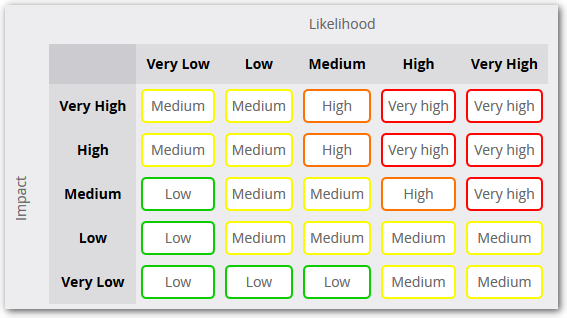
The value is derived by the combination of Impact and Likelihood as defined be the Risk Matrix Configuration which can be done by your repository administrator to follow your corporate standards.
Sample Calculation As there are no other factors involved the above values would would mean that:
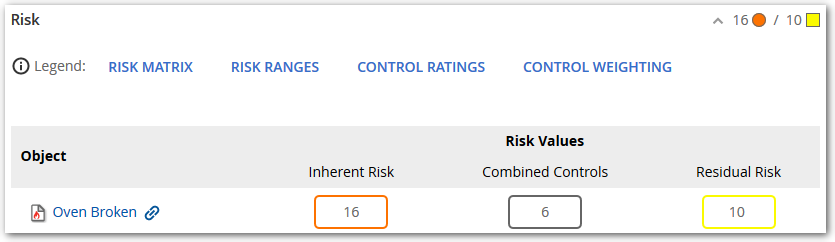
Initial Risk (16) = Inherent Risk (16)
And the Risk section of the main page of this Risk Instance the Inherent Risk this way:
Risk type based risk value
Values can be set by your repository administrator for Risk Categories and Risk Instance Types. In the Settings tab, you can choose their values. Here the Risk Instance Type is set to "Operational":

To make the above option available, in the repository configuration area, the repository administrator created a Risk Instance Type named "Operational" with a risk value of 2:

Sample Calculation The article contains an example to visualize the effects of the individual components for an inherent risk calculation. The formula it follows is:
Initial Risk + Risk Type Value + Risk Category Value(s) = Inherent Risk
Sample Calculation Adding the risk instance type value into the equation we are now at:
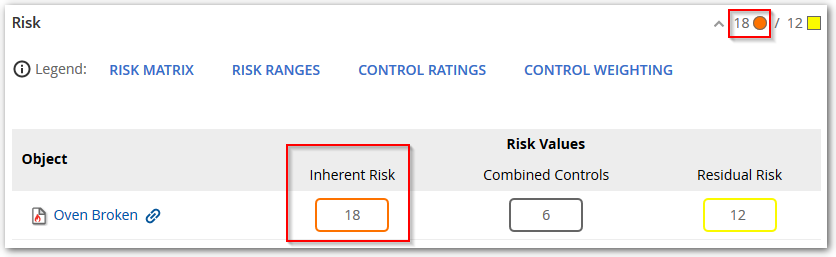
Initial Risk (16) + Risk Type Value (2) = Inherent Risk (18)
On the risk instance this is visualized like this:
Risk category based risk value
Additional Risk values can be set for Risk Categories in the repository configuration. Depending on the categories selected, the sum of those factors will be added to the initial risk value.
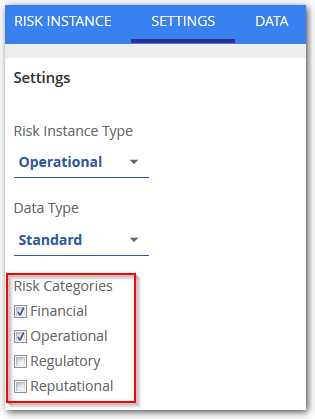
In this example, the Risk Instance Categories are set to Financial and Operational:
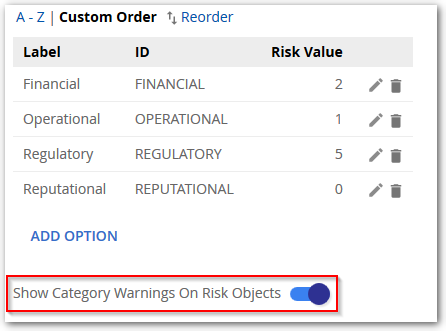
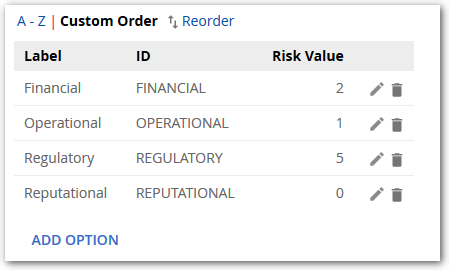
To make the above categories available, in the repository configuration area, the repository administrator created Risk Categories with associated Risk Values:
Sample Calculation Adding the risk instance type value into the equation we are now at:
Initial Risk (16) + Risk Type Value (2) + Risk Category Values (2+1) = Inherent Risk (21)
On the risk instance this is visualized like this:
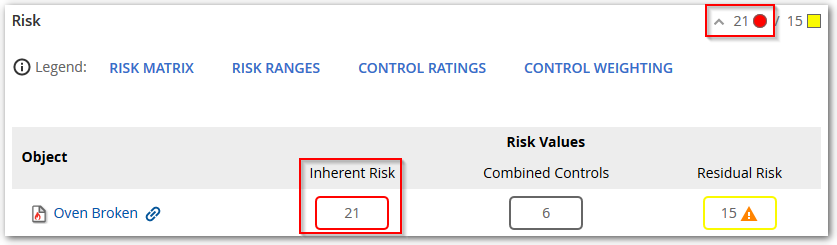
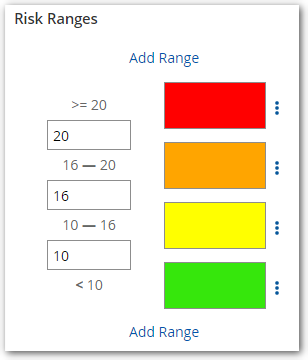
In the above example, the the color indicator changed from orange to red. This is due to the Inherent Risk value now falling within a new Risk Range defined by the repository administrator in the risk configuration section:
Combined Controls
The combined control rating is calculated based on all Control and Control Instance objects related to the Risk or Risk Instance object through the "Controlled By" relationship. For our example the Risk Instance is controlled by two Control objects.
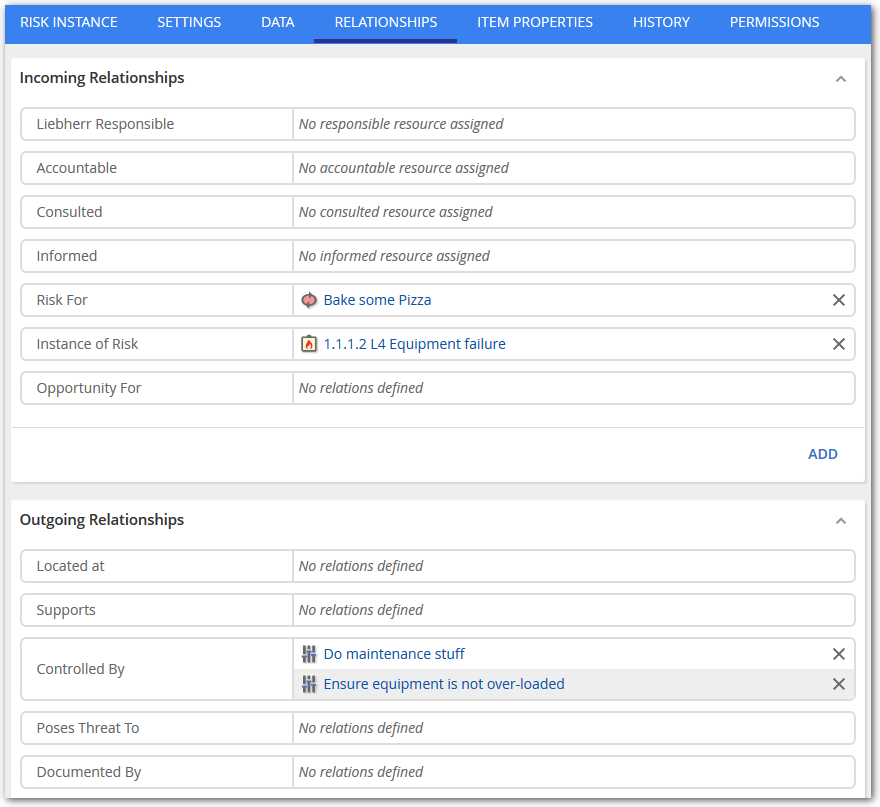
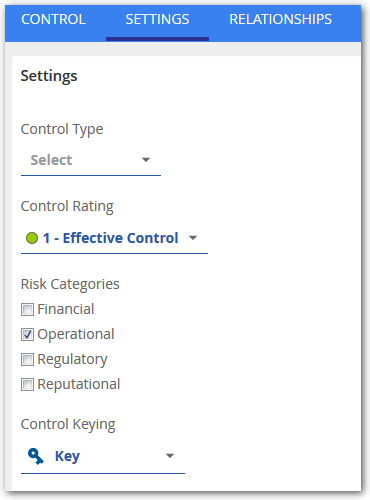
The first control, "Do maintenance stuff" is rated as "Effective control" and it is considered a key control. Here is the Settings tab of the "Do maintenance stuff" Control:
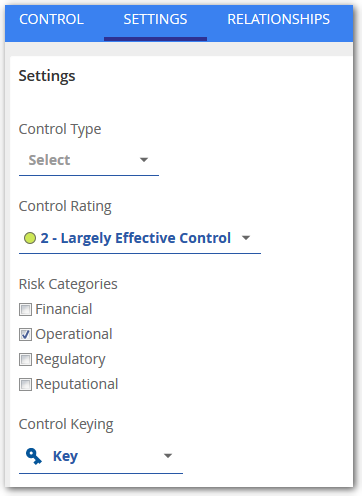
The second control is rated as "Largely effective control" and it is considered a key control.
For the calculation thecontrol value as specified by the repository administrator in the repository configuration are used. The Effective control will be interpreted as 10 and the Largely effective control as 2. Here are the example configuration settings:
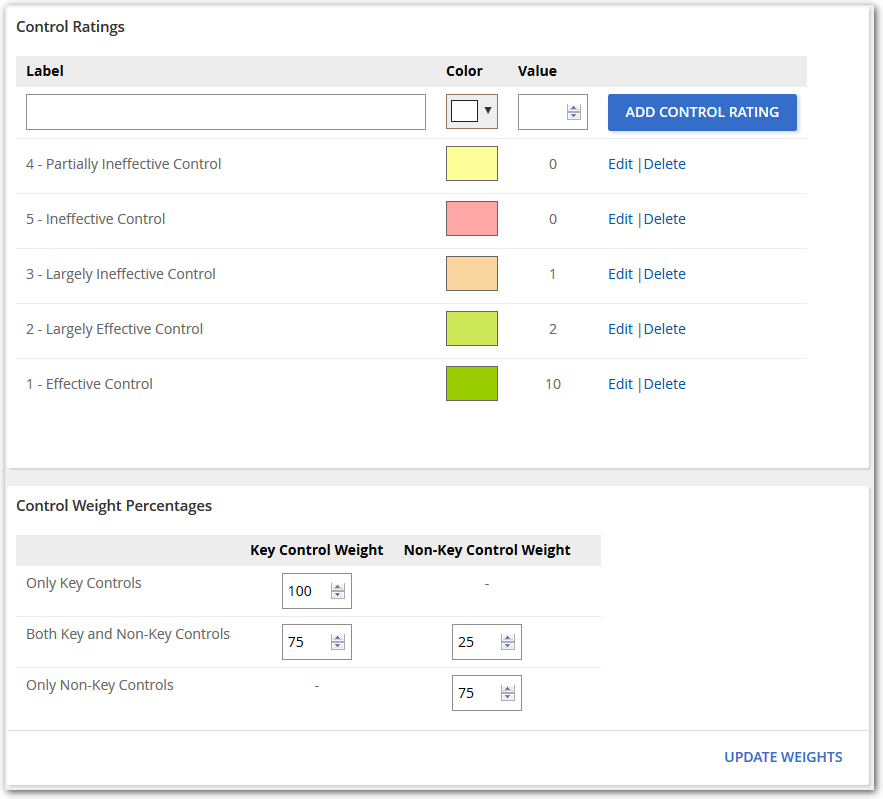
For the combined rating calculation it makes a big difference if the risk has only key, non-key or a combination of key and non-key controls assigned to it. If there are only key controls assigned to a risk, the weight is 100% by default, for non-key it is 75%.
Sample Calculation With the formula to derive the mitigating control value as:
((Average Control Rating Value)Key * WeightKey) + ((Average Control Rating Value)Non-Key * WeightNon-Key) = Combined Control Value
Adding the risk instance type value into the equation we are now at:
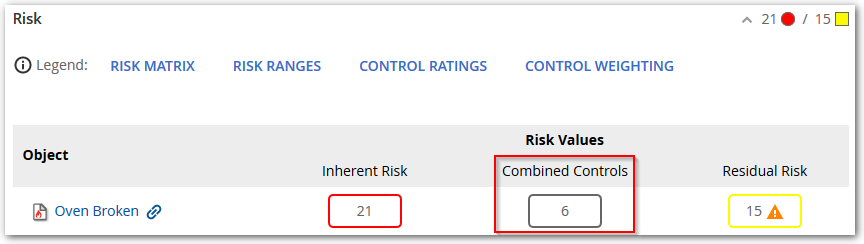
(10+2)/2 * 100% = 6
On the risk instance this is visualized like this:
Residual Risk Value
The residual Risk Value is the inherent risk value minus the combined control value mitigating the risk.
Sample Calculation With the above described components the residual risk value is calculated as:
Current Inherent Risk Value - Combined Control Value = Residual Risk Value
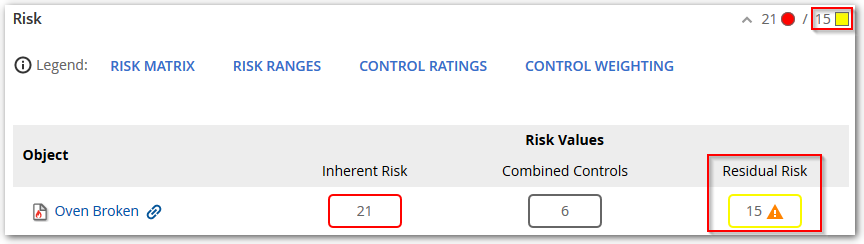
21 - 6 = 15
On the risk instance this is visualized like this:
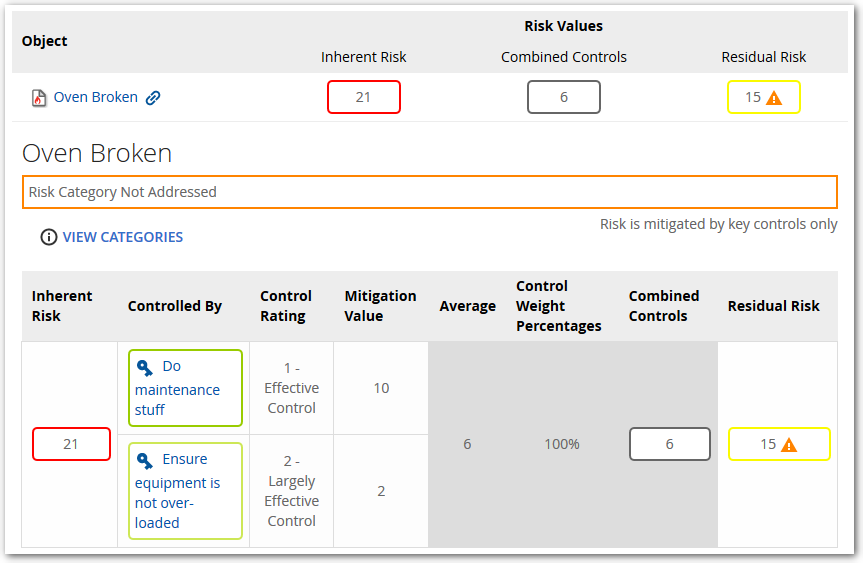
To follow the calculation directly on the object the following table is displayed for illustration. The table can be collapsed or expanded by clicking into the empty space of the row in the above displayed table.
Risk Category Warning
In our example there is a warning indicator next to the residual risk value. This informs you that not all categories identified on the risk instance are addressed by the assigned controls. The assigned controls have to cover at least all categories or this warning will appear.
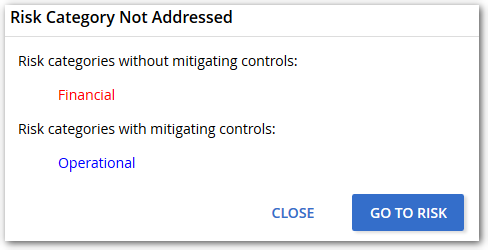
The categories warning indicator can be disabled in the repository configuration: